DT Research, Inc.
2000 Concourse Drive, San Jose, CA 95131 hp://www.dtresearch.com
Copyright © 2012, DT Research, Inc. All Rights Reserved.
DT Research is registered trademark of DT Research, Inc.
INTRODUCTION
Thank you for acquiring the latest addion to DT Research
’
s line of tablet devices
—
the
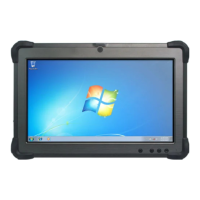
DT312. Featuring a slim yet robust enclosure, the two-pound DT312 with 10.4
”
TFT
display is powered
by the Intel® Atom™ processor, offering opmal combinaons
of performance and power savings. An external baery expansion opon provides
approximately 3-4 hours of addional baery operaon for up to six hours of mobile
usage.
The DT312 is available in Microso® Windows® Embedded Standard 7, Windows® 7
Professional, Windows® XP Embedded, Windows® XP Pro for Embedded Systems or
Linux operang system
s. Each soware operang system features web browser, client/
server compung soware, media player, accessories, and applicaons support.
PACKAGE CONTENTS
One DT312 with Internal Baery Pack (2200mAh), Stylus, Grips and Screen Cover •
AC-DC Power Adapter with Power Cord•
Basic Operaon Guide •
Major opons, depending on configuraon:
* If your DT312 contains MSR, camera or scanner module, please refer to the POS module
operaon guide for detailed operaon.
BOG111312DT312ENG
Desktop Charging Cradle with DC-in Power Jack and •
Ethernet, USB and oponal VGA Ports
External Baery Pack•
Internal High Capacity Baery (3760mAh)• External Baery Charger Kit•
SPECIFICATIONS
System
Processor
Intel® Atom™ Z530, 1.6GHz
Memory (RAM)
2GB DDR2 533MHZ
Storage
8GB to 256GB Flash
Operang Systems
Microso® Windows® Embedded Standard 7,
Windows® 7 Professional, Windows® XP Embedded,
Windows® XP Pro for Embedded Systems, or Linux
Display
10.4
”
LED-backlight screen with resisve touch;
sunlight-readable opon
Display Resoluon
1024 x 768 (XGA)
Network Interface
Wi-Fi 802.11a/b/g/n, Bluetooth 2.1 with EDR
Control Switch and Buons
1 power buon, 7 front buons and 1 trigger buon
Indicator
1 power/ baery status LED and 1 WLAN acve LED
Speaker
Built-in speaker
Input/Output Ports
1 DC-in Jack; 2 USB 2.0 port;
1 Headphone-out Jack; 1 Microphone-in Jack
Security
WPA-Personal, WPA2-Personal, WPA-Enterprise, WPA2-
Enterprise, AES-CCMP 128-bit, WEP 128-bit and 64-bit;
802.1X: EAP-SIM, LEAP, PEAP, TKIP, EAP-FAST, EAPTLS,
EAP-TTLS
Power
AC/DC Adapter
Input: 100 – 240V AC; Output: 12V DC, 3.5A
Baery Pack
Internal 7.4V, 2200mAh or 7.4V, 3760mAh/
Oponal: External 7.4V, 3760mAh or 7.2V, 3900mAh
Mechanical
Enclosure
ABS + PC plascs and magnesium-aluminum alloy
Stylus
Non-electronic p
Protecve Bumpers
Rubber side-grips with handstrap
Dimensions (H x W x D)
8.3 x 10.3 x 0.8 in/ 210 x 261 x 18 mm
Weight
2.05 lbs/ 0.93 kg
Environmental
Regulatory
FCC Class B, CE, C-Tick, RoHS compliant
Temperature
Operaon: 0
°
C - 40
°
C; Storage: -20
°
C - 60
°
C
Humidity
0% - 90% non-condensing
* Specificaons subject to change without noce.

 Need help?
 General





 To Next Page