DTEN D7 Single 55” User Manual support@dten.com sales@dten.com Page 10
With all connecons made:
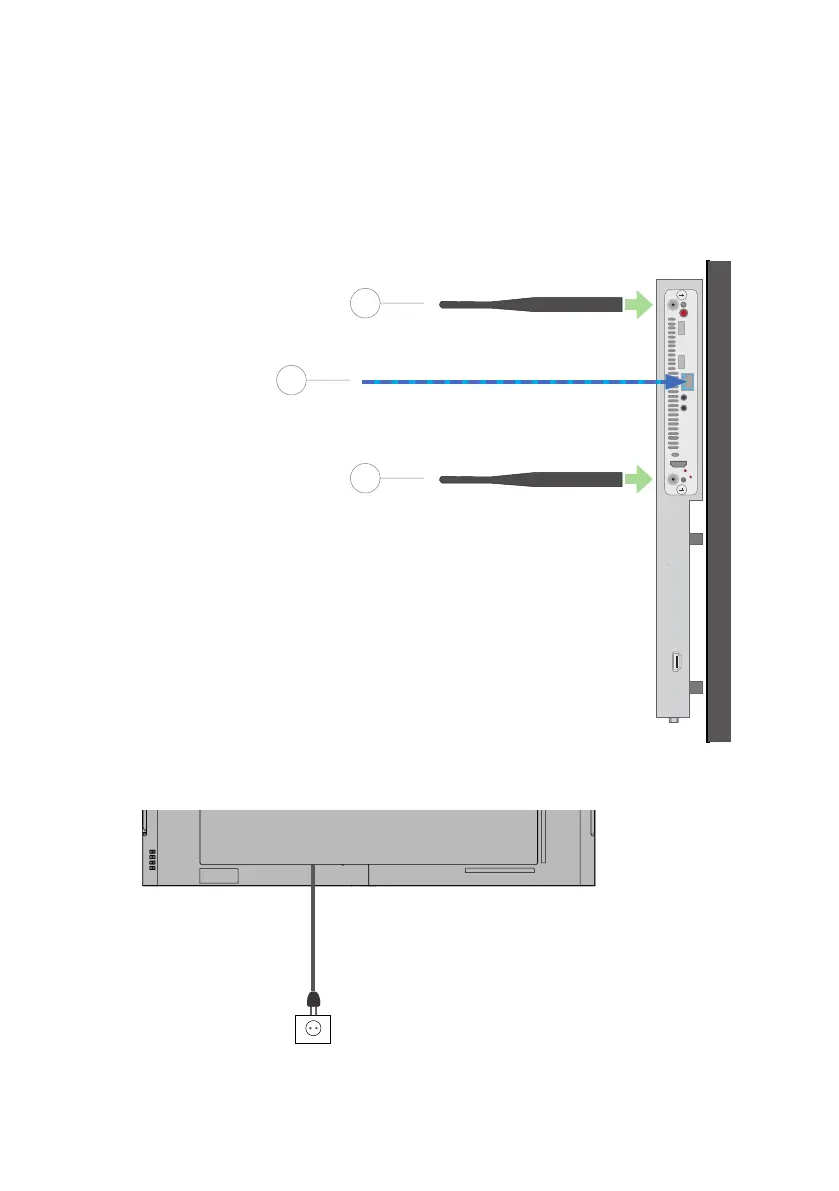
1. Insert the power cord into the outlet.
2. Arrange or dress cables using es or tape.
On the PC:
1. Aach the Antennae at the rear, as shown.
2. Connect an Ethernet cable connected to the local network
(Recommended)
The content in this document is for reference only. Content is subject to change without noce.
For most updated informaon, please visit DTEN.com
1
1
2
Ethernet
(Recommended – not supplied)
Antenna
Antenna
ATTACHING ANTENNA, ETHERNET AND POWER CORD


 To Next Page