DTEN D7 Single 55” User Manual support@dten.com sales@dten.com Page 10
DTEN D7 Single 55” User Manual support@dten.com sales@dten.com Page 11
The content in this document is for reference only. Content is subject to change without noce.
For most updated informaon, please visit DTEN.com
With the power connected:
• The unit will power up and ZOOM Rooms will launch.
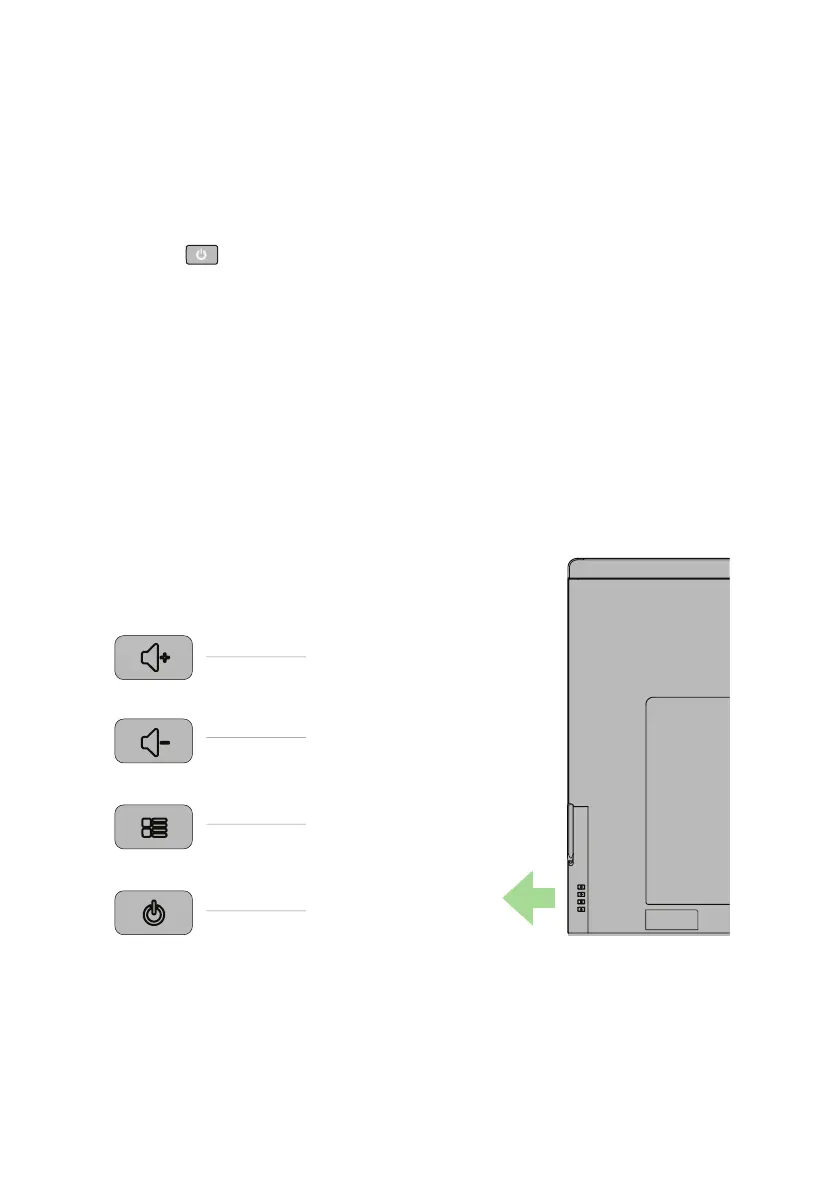
(Note: In the event that the monitor does not power up, it may be necessary to press the
Power buon
on the rear right hand of the Display.)
Menu Buons:
Volume Up
Volume Down
Menu
Power
POWER UP D7


 To Next Page