DTEN D7 Single 55” User Manual support@dten.com sales@dten.com Page 8
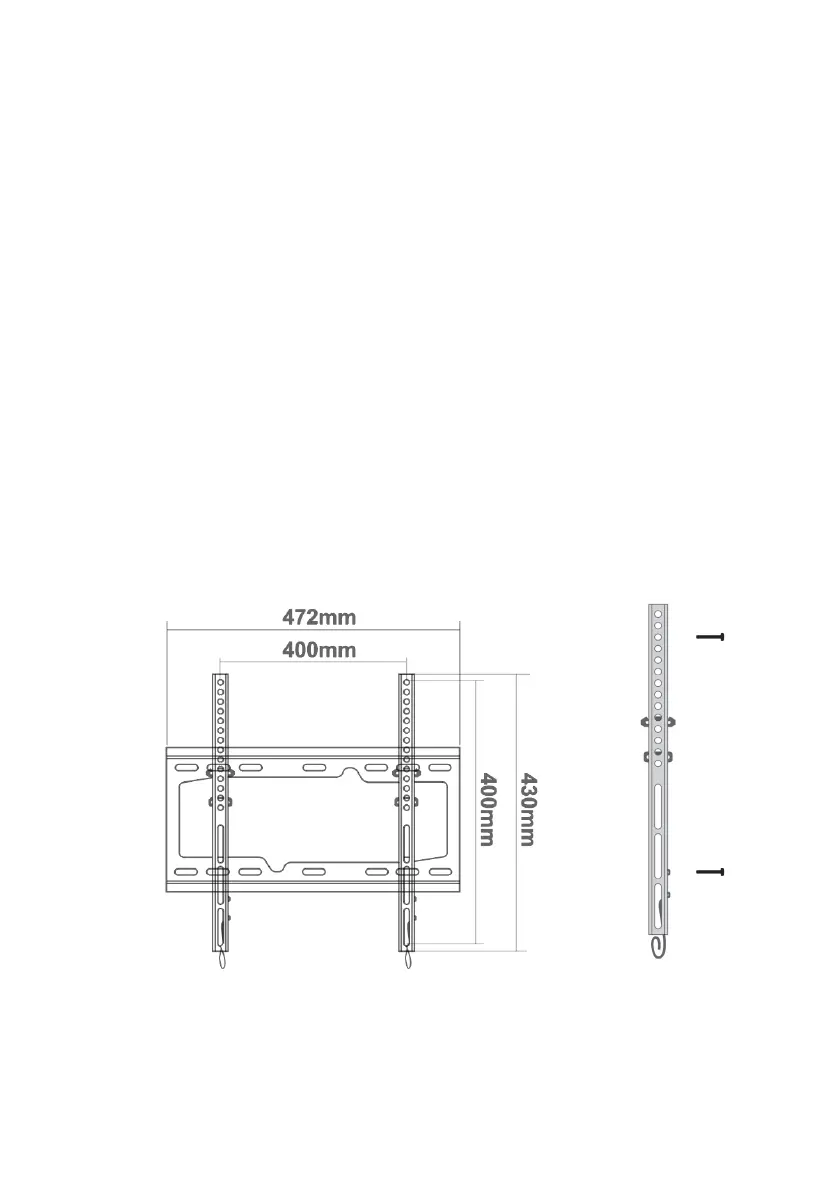
DTEN D7 monitors ship with wall mounng brackets, mounng
clips, plugs, and screws. The brackets should be wall mounted in an
appropriate locaon and the clips aached to the back of the monitors as
shown in the following pages.
The plugs and screws supplied are intended for use on masonry surfaces.
On drywall, it will be necessary to obtain cabinet grade mounng screws
of an appropriate size. And in some cases, it may be necessary to use
a backing board to ensure a structurally secure installaon in locaons
where there are no conveniently placed studs or the wall surface is
uneven or damaged.
WALL MOUNTING
Wall Bracket
Mounng Clip
The content in this document is for reference only. Content is subject to change without noce.
For most updated informaon, please visit DTEN.com


 To Next Page