39
Display background color
(Automatic adjustment)
Dashboard background color is set automatically
according to exterior lighting conditions.
When the sensor detects “poor lighting” (night), it
switches to black background mode; vice versa when
“significant” lighting is detected (day), it switches to
white background mode.
This function can also be customized using the
“setting” menu function “BACK LIGHT -
DASHBOARD 1”, on page 88 by setting one of the
two modes available, NIGHT or DAY as a permanent
setting (or else returning to AUTO mode).
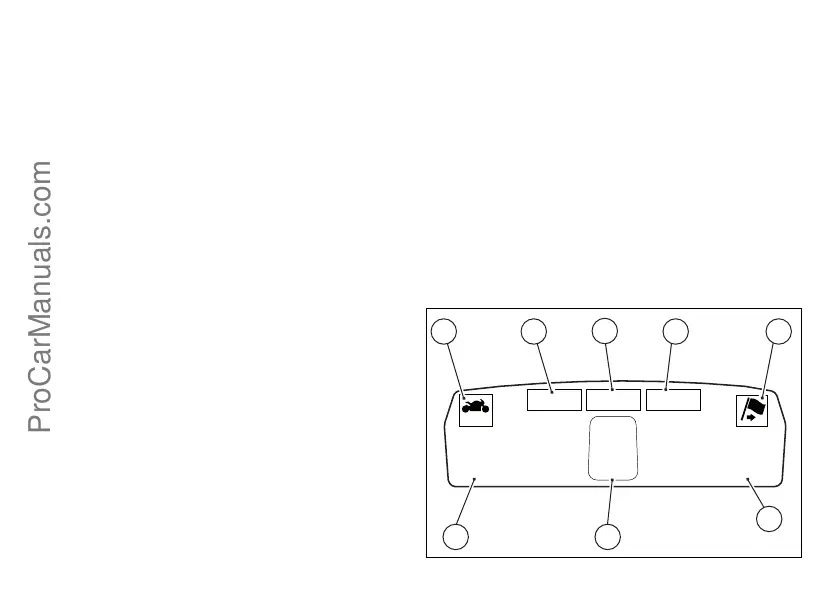
Dashboard on tank
1) Menu 1 (TOT, TRIP1, TRIP2, TRIP FUEL).
2) Menu 2 (CONS.AVG., CONS., SPEED AVG, AIR
and TRIP TIME) if active.
3) Gear / Neutral Indication.
4) Icon referred to the function below from Menu 1.
5) Indication of Engine setting for the currently set
riding style.
6) Currently set Riding Style (Riding Mode)
7) Indication of the intervention level of the DTC
(Traction Control) for the currently set riding style.
8) Icon referred to the function below from Menu 2.
10355 16.3
3
TOT
CONS.AVG
KM/L
TOT
162 HIGH
GEAR
SPORT
03 DTC
4 5
6
7 8
2
1 3
ProCarManuals.com



 To Next Page