Information (Info)
This Function allows viewing the vehicle
voltage and the RPM "digital" indication.
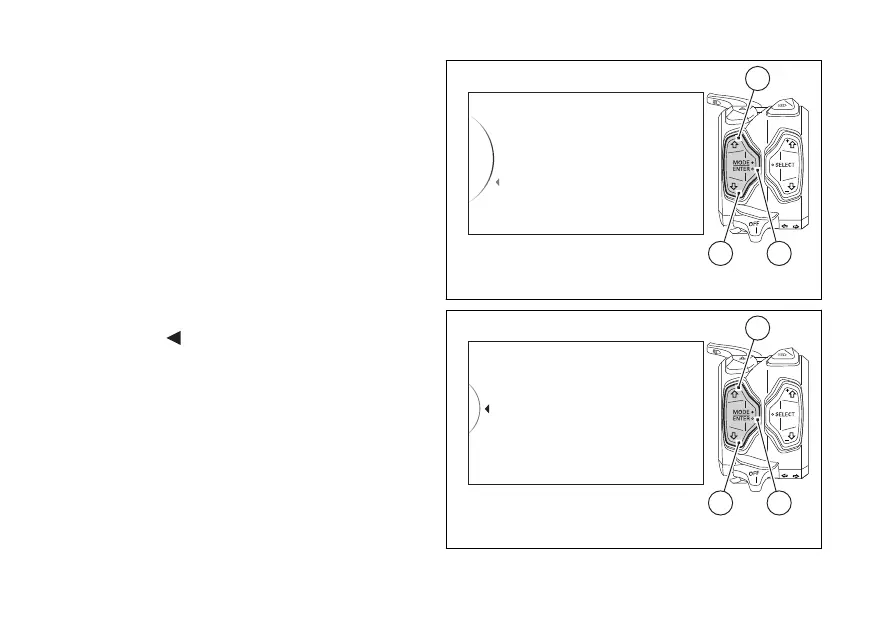
Enter the SETTING MENU.
Select "Info" option, by pressing (1) or (2).
Once function is highlighted, press (4).
When entering this function, the instrument panel
displays:
- with voltage value;
- "rpm" with the number of engine rpm in digital
format.
To exit the menu and go back to previous page
highlight the "
Back" indication and press
(4).
information is displayed as follows:
- if the voltage is equal to or lower than
10.9 V, the "LOW" message will be displayed in
red and flashing;
- if voltage is between 11.0 V and 11.7 V the
reading will be displayed in red and flashing;
- if voltage is between 11.8 V and 14.9 V
the reading will be displayed steadily with the
icon on a standard background;
DRL
Turn indicators
Info
Exit
42
1
Fig 148
Battery
rpm
14,3 volt
15.000
...
Back
42
1
Fig 149
189



 To Next Page