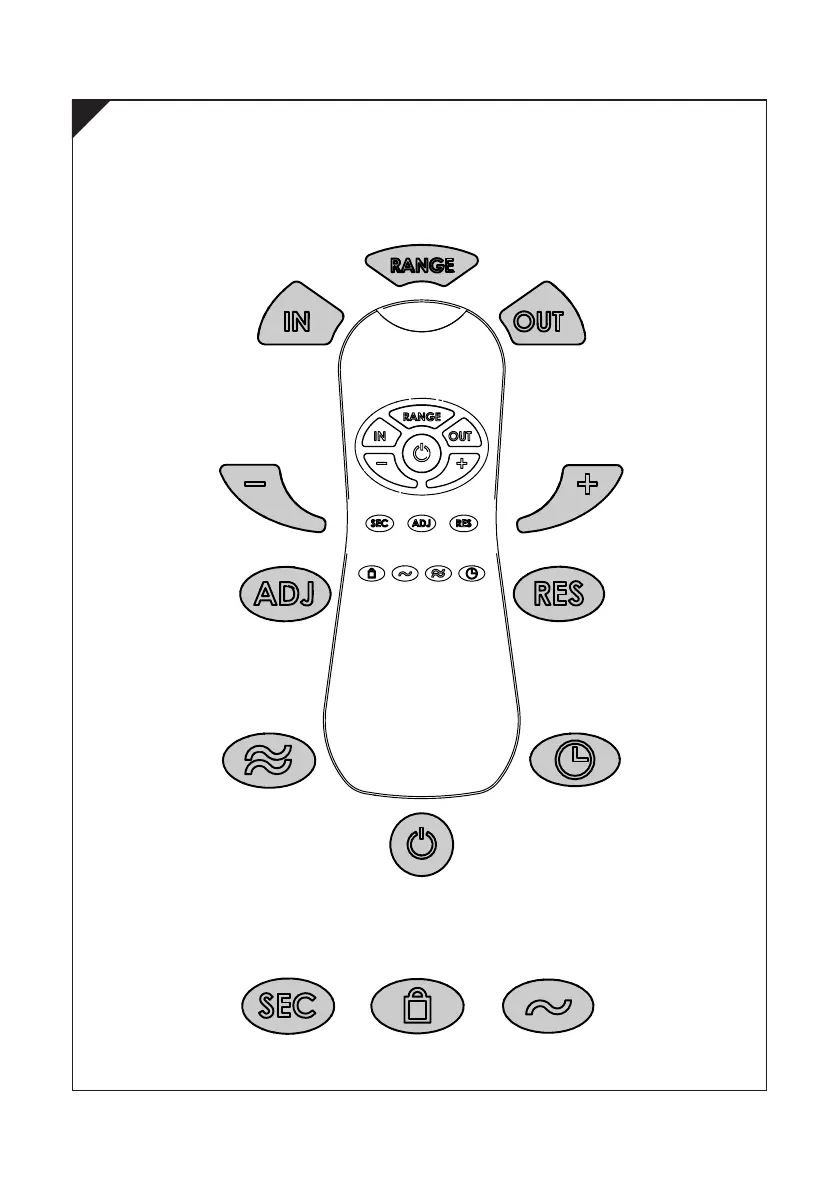
Not applicable with Electrflo Urinal Sensor.
DELAY IN TIME is
the time between
sensor detection
and water flow.
Press this button until
sensor LED blinks and use
the +/- keys to adjust.
DELAY OUT TIME
is the flow time
aer sensor
detection. Press
this button until sensor
LED blinks and use the +/-
keys to adjust flow time.
DECREASE INCREASE
Turns Sensor Off for 1 minute
to allow for cleaning. To cancel
press the button again.
Detection RANGE. If necessary press
the button and use the +/- keys to
adjust range between 300-800mm.
Adjusts the
FLOW TIME
of the flush.
Press this button and use
the +/- keys to adjust range.
Automatically
ADJUSTS
sensor range.
The solenoid valve will
open for 1 second to
indicate range is set.
If FACTORY
RESET is
required press
and hold this button and
press + button once.
Flush is pre-
set to cycle
every 24hrs
for HYGEINE FLUSH.
Press the button and use
the +/- keys to turn on/off.
REMOTE CONTROL (Purchased Separately)
4



 To Next Page