EasyManua.ls Logo

Dukane 28A640 - 5 Operation

Dukane 28A640
12 pages
Print Icon
To Next Page IconTo Next Page
To Previous Page IconTo Previous Page
Loading...
5
-
OPERATION
Place
the
projector
on
a
stable
surface
that
is
desk
or
table
height.
Make
sure
that
the
side
vent
is
not
blocked.
Plug
the
power
cord
into
a
standard
120V
AC
outlet.
Push
the
power
button
in
to
turn
the
projector
on.
Place
a
transparency
on
the
stage.
If
the
fourth
element
lens
is
in
place,
an
enlarged
view
of
the
transparency
will
be
pro¬
jected.
For
a
standard
size
view
of
the
image,
carefully
pull
the
fourth
element
lens
towards
the
projector’s
mast
and
away
from
the
lens
head
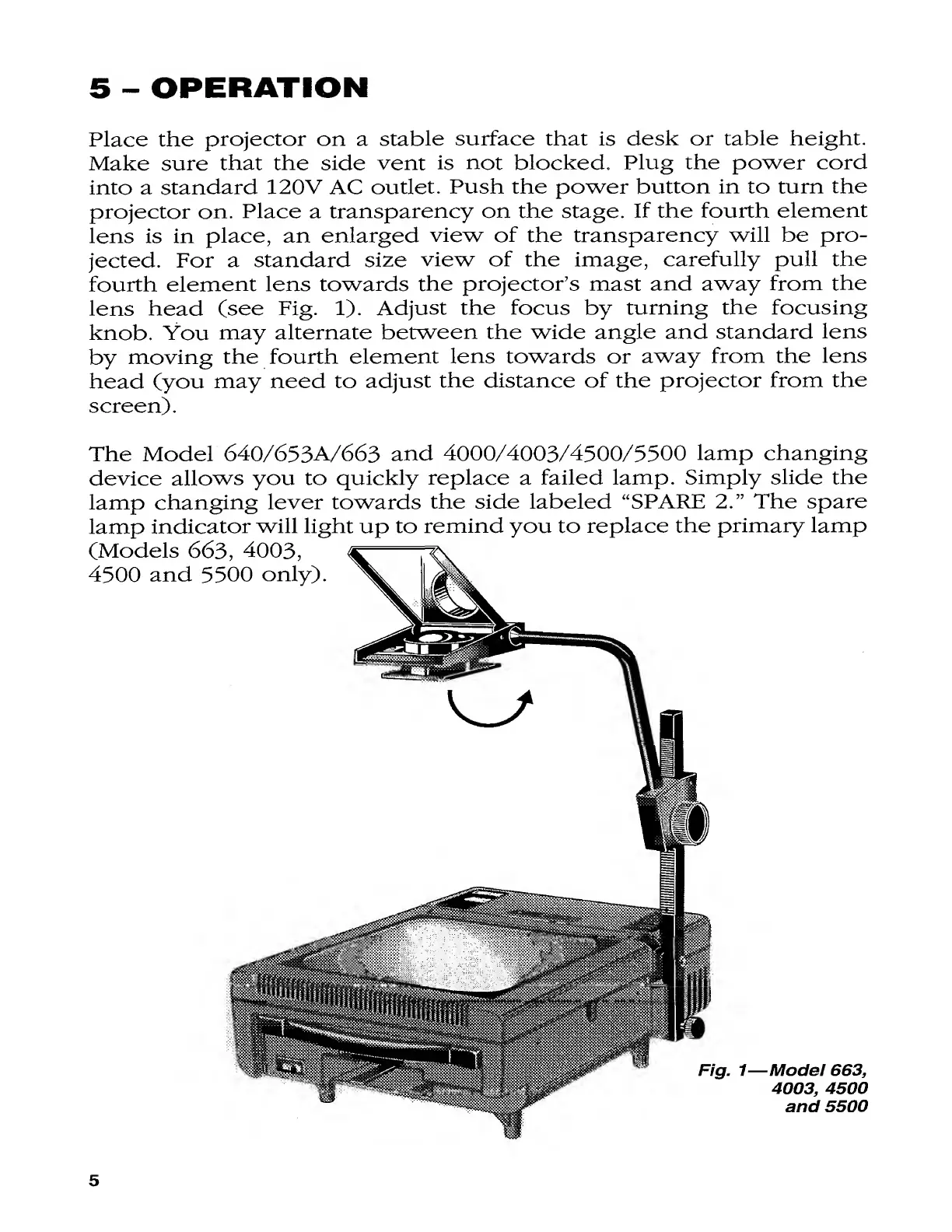
(see
Fig.
1).
Adjust
the
focus
by
turning
the
focusing
knob.
You
may
alternate
between
the
wide
angle
and
standard
lens
by
moving
the
fourth
element
lens
towards
or
away
from
the
lens
head
(you
may
need
to
adjust
the
distance
of
the
projector
from
the
screen).
The
Model
640/653A/663
and
4000/4003/4300/3300
lamp
changing
device
allows
you
to
quickly
replace
a
failed
lamp.
Simply
slide
the
lamp
changing
lever
towards
the
side
labeled
“SPARE
2.”
The
spare
lamp
indicator
will
light
up
to
remind
you
to
replace
the
primary
lamp
5

Related product manuals