Need help?
Do you have a question about the Duncan Vapor Trail and is the answer not in the manual?
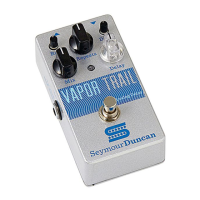
Sets the blend between the dry and wet delayed signals, from fully dry to over 50% wet.
Varies the number of delay repeats, from a single echo to runaway feedback.
Sets the delay time from 15ms to 600ms, indicated by an LED flash.
Activates the pedal and ensures signal integrity when bypassed.
Allows external processing, expression pedal control, or stereo/wet-dry outputs.
Connects your instrument/amp and other effects pedals to the unit.
Details for power connection via adapter or battery access.
Instructions for powering, connecting cables, and setting initial knob positions.
 General
| Brand | Duncan |
|---|---|
| Model | Vapor Trail |
| Category | Music Pedal |
| Language | English |

 To Next Page