Need help?
Do you have a question about the Duncan SFX-10 Deja Vu and is the answer not in the manual?
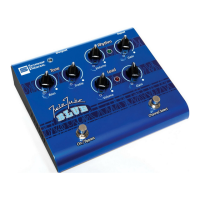
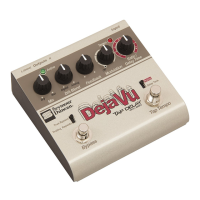
Identifies and illustrates the various controls on the front panel of the pedal.
Adjusts signal balance, blends delay tones, and controls repeat quantity.
Adds sonic texture and sets delay time or tempo subdivisions, accessing loop mode.
Visual tempo indicator and controls for setting tempo and bypassing the effect.
Details the main input, stereo outputs, and wet-only output jack.
Explains the FB Insert and Wet Out/Insert jacks for advanced effects routing.
Covers the power jack and its connection requirements.
Describes connecting the pedal directly between the guitar and amplifier.
Explains integrating the pedal into an amplifier's effects loop for optimal sound.
Settings for lush analog lead guitar delay tones reminiscent of Classic Rock.
Settings for achieving bright, warm slap back delay and Doppler-like modulation.
Settings for textural rhythm delays and complex modulated analog/digital sounds.
Explains the power and versatility of the Tap Tempo footswitch for syncing delays.
Details how to use the Tap switch for recording loops and advanced loop features.
Explains using the Wet Out/Loop jack with external processors like volume or modulation pedals.
 General
| Analog/Digital | Digital |
|---|---|
| Power Supply | 9V DC |
| Bypass | True Bypass |
| Tap Tempo | Yes |
| Input Impedance | 1 MOhm |
| Type | Delay |
| Controls | Delay Time, Feedback, Mix, Modulation |
| Delay Time | Up to 2 seconds |

 To Next Page