27
EXPERT UI: NETWORK TAB: TIMING INFO
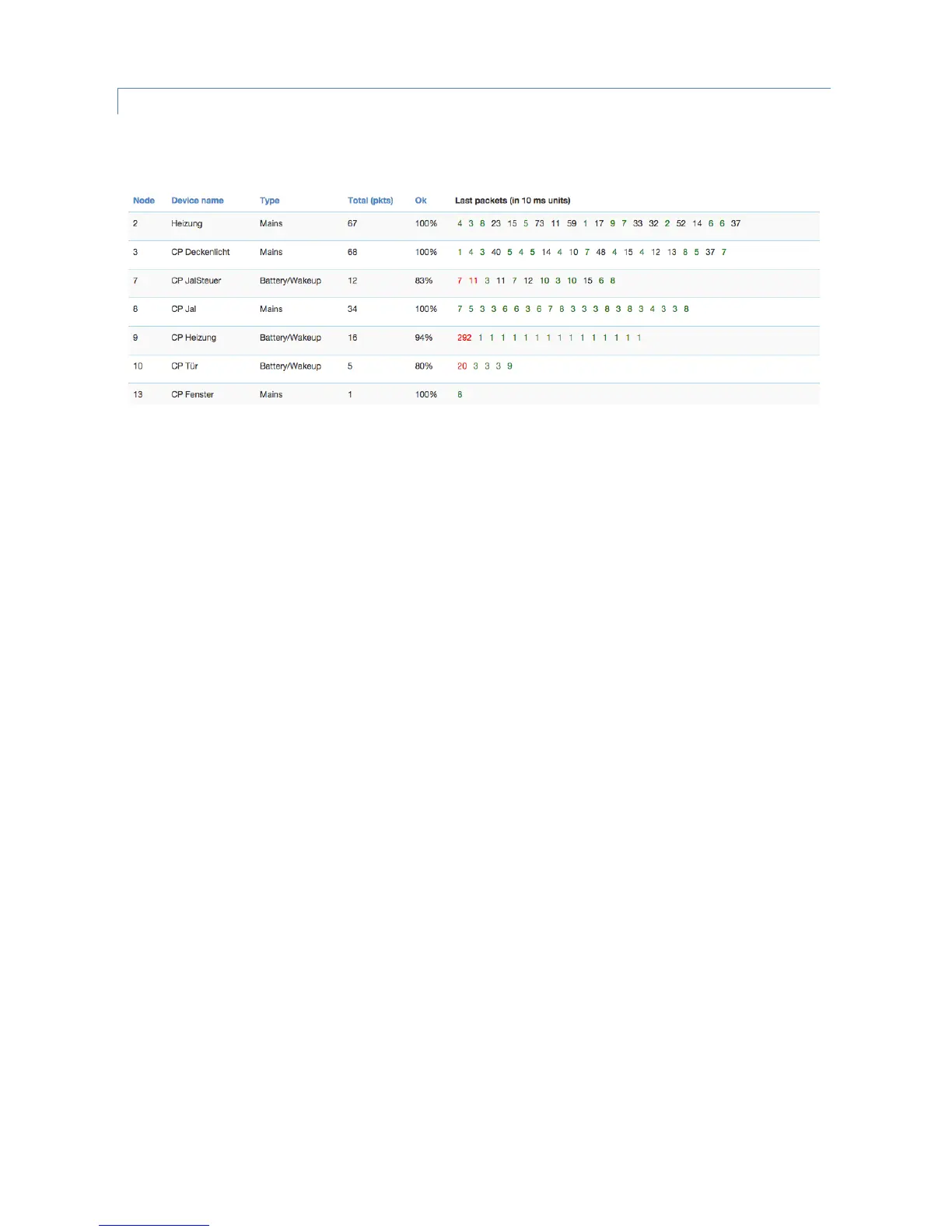
The Timing Info screen shows some very valuable timing information of communications between the controller and
other devices.
All other devices the controller has communicated with are shown in a list. The number of packets and the percentage
of successful communication are shown. This can give an indication about the stability of the communication link
between the controller and this device. On the right hand side the timing delay of each communication is shown and
color-coded. A red number indicates that this communication finally failed. A communication without rerouting
attempts as shown as green and a rerouting attempt is coded in black. The fact that a communication failed (red) may
indicate that there is a severe problem in the network or in the device. It is however also possible that a battery
operated device just went back to sleep too fast. Z-Wave pros can read a lot out of this timing information particularly
when combined with the routing table


 To Next Page