8
HOME AUTOMATION UI: ELEMENTS
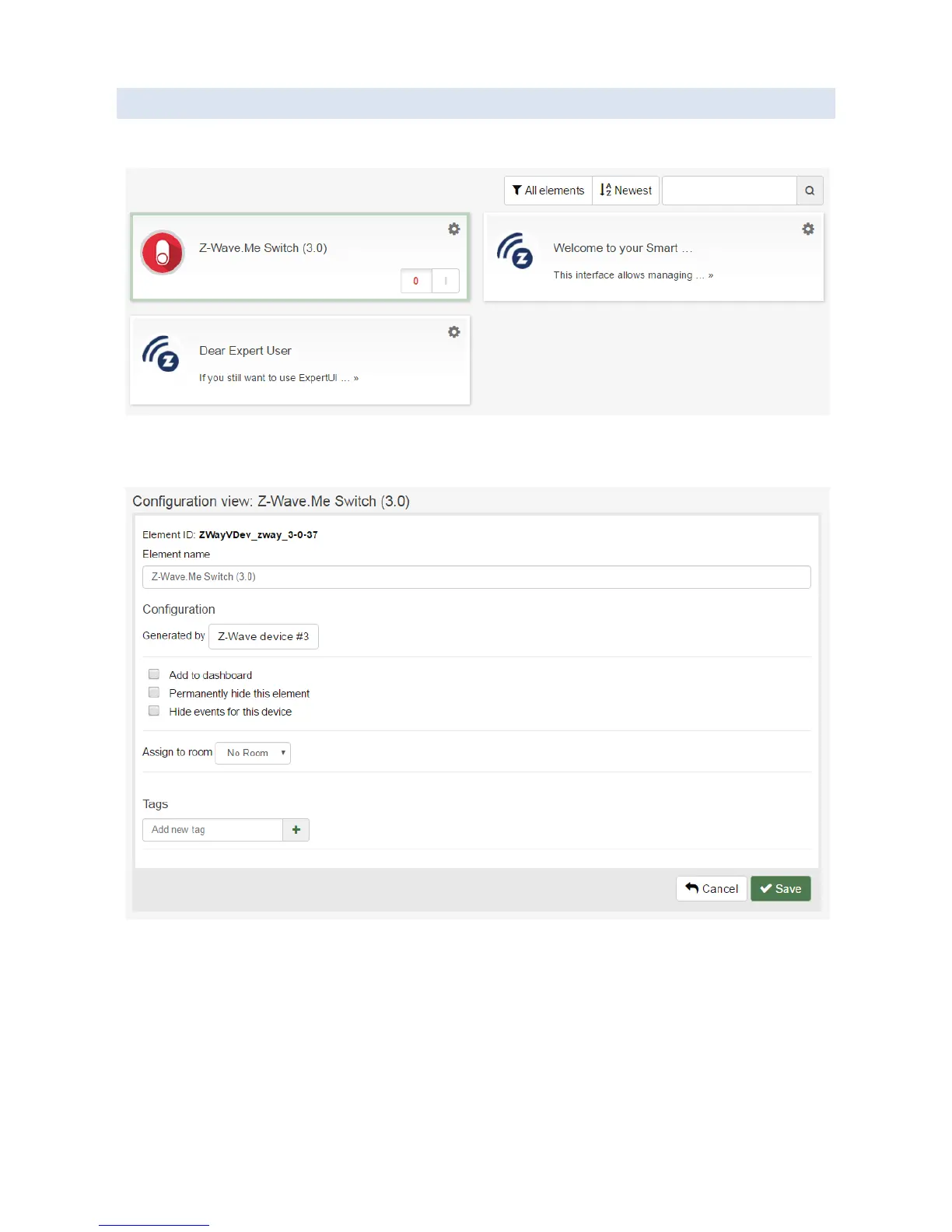
To see the list of all Elements, click “Elements” icon in the top menu bar. This will open the “Elements” screen:
To adjust Element configuration, click “Settings” icon at the top right corner of the UI block corresponding to the
Element. This will open the “Element Configuration” screen.
The “Element Configuration” screen shows the information about the Element and allows adjusting its configuration
(rename, hide, assign to Room, add to the Dashboard, etc).
To remove the unneeded Elements, either hide the Element via the “Element Configuration” screen (if the Element
supports hiding), or delete the object (Application instance of Z-Wave Device) which generated this Element.


 To Next Page