10
EN
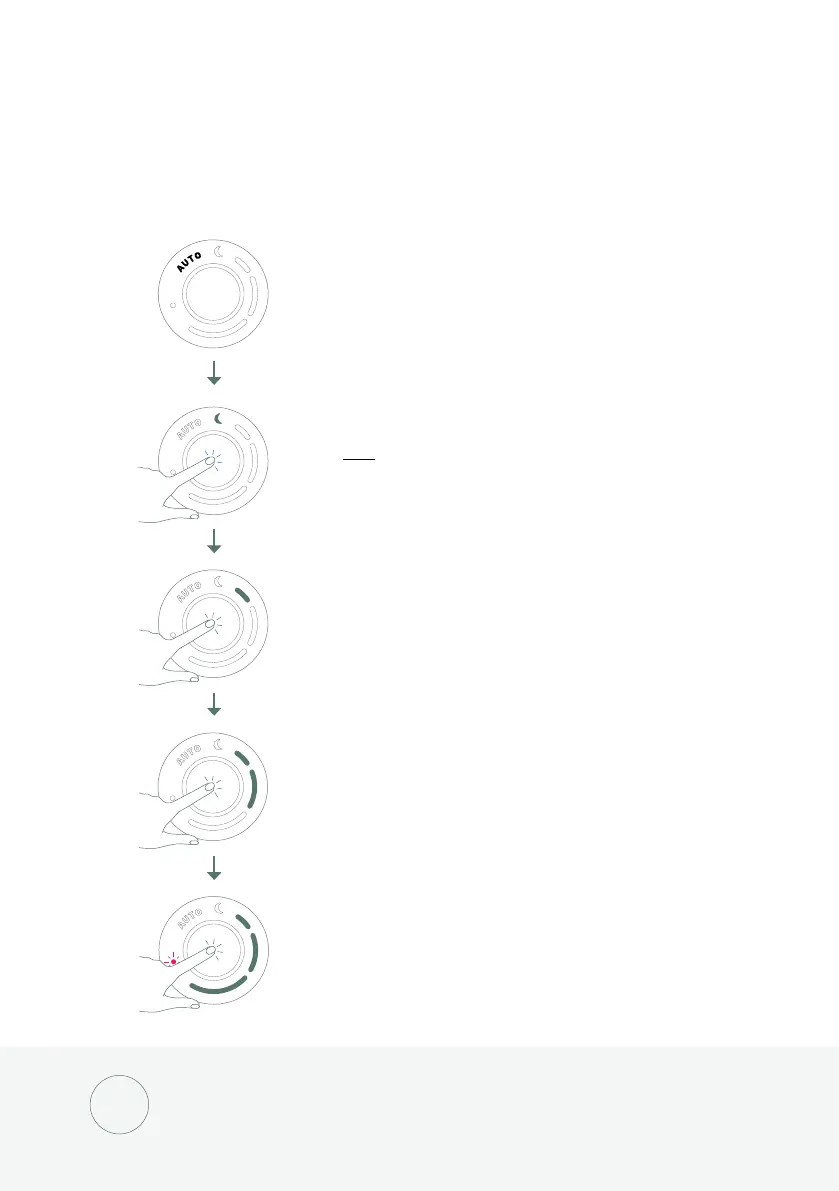
Control button
The touch-sensitive control button is located at the front of the Bloom™.
Touch it to navigate through the dierent modes. Aer 20 seconds
without any interaction the lights will fade out for a subtle appearance.
Touching the control button once from HIGH SPEED will cycle back
to AUTO mode.
AUTO mode
AUTO mode is the default mode when Bloom™ is turned ON.
It will automatically regulate the fan speed according to your
indoor room air quality.
NIGHT mode
Tap once to switch to NIGHT mode. In this mode, the fan speed
will drop to a minimum and all lights will turn OFF, even when
the air quality changes.
A 12-hour timer will be set automatically. When the timer is up,
Bloom™ will go back to AUTO mode.
Low fan speed
Medium fan speed
High fan speed
i



 To Next Page