EN
9
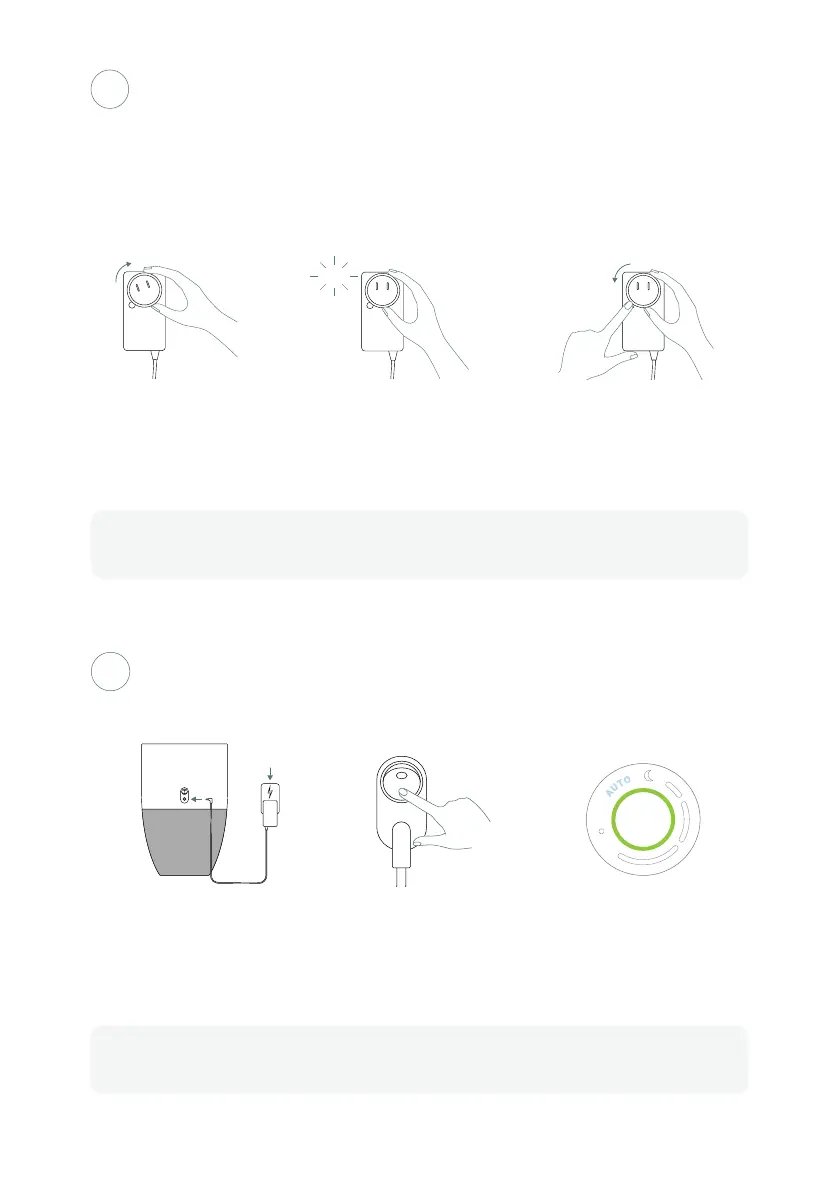
Connect the power cable
at the back of the Bloom™
then plug it into an electrical
outlet.
Turn the power switch,
located at the back, to ON.
The AUTO mode and air quality
indicators will illuminate on
the control button.
Turn it ON
3
4
To install, insert the plug and
turn clockwise.
You should hear a clicking
sound when it's properly
in place.
To remove, press and hold the
release button and turn the
plug counterclockwise.
Bloom™ comes with a universal power adaptor and a set of 3 dierent plugs.
Select the one that corresponds to your area and install it on the power adaptor.
Install the corresponding plug on the
universal power adaptor
The usage of the standard North American power plug in the illustrations above is for explanation
purpose only. You must install the one that corresponds to your country's electrical installation.
The lights may flash for a brief moment as the system is running a self-test.



 To Next Page