IB-CD203(AD)-WM-E-012503
RECORDING ON A TAPE
1
2
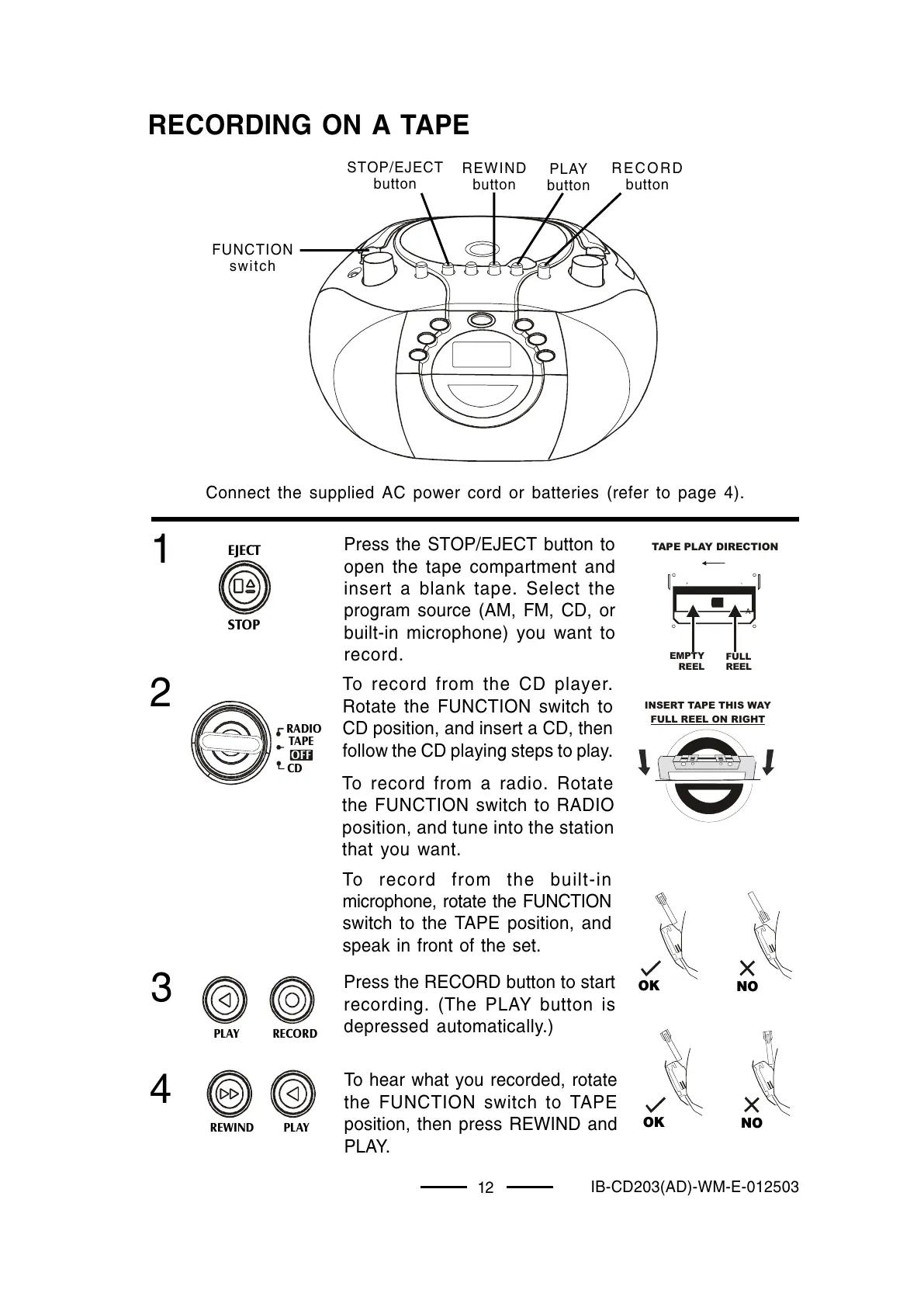
To hear what you recorded, rotate
the FUNCTION switch to TAPE
position, then press REWIND and
PLAY.
12
FULL
REEL
EMPTY
REEL
TAPE PLAY DIRECTION
A
OK
NO
OK
NO
Press the STOP/EJECT button to
open the tape compartment and
insert a blank tape. Select the
program source (AM, FM, CD, or
built-in microphone) you want to
record.
To record from the CD player.
Rotate the FUNCTION switch to
CD position, and insert a CD, then
follow the CD playing steps to play.
To record from a radio. Rotate
the FUNCTION switch to RADIO
position, and tune into the station
that you want.
To record from the built-in
microphone, rotate the FUNCTION
switch to the TAPE position, and
speak in front of the set.
Press the RECORD button to start
recording. (The PLAY button is
depressed automatically.)
4
3
Connect the supplied AC power cord or batteries (refer to page 4).
STOP/EJECT
button
REWIND
button
PLAY
button
RECORD
button
FUNCTION
switch
INSERT TAPE THIS WAY
FULL REEL ON RIGHT
OFF
RADIO
TAPE
CD
EJECT
STOP
PLAY RECORD
REWIND
PL AY



 To Next Page