EasyManua.ls Logo

Durabrand CR130DR8 - User Manual

Durabrand CR130DR8
52 pages
Print Icon
To Next Page IconTo Next Page
Loading...
WATCHING TVINTRODUCTION CONNECTION INITIAL SETTING
OPTIONAL SETTING
INFORMATION
TROUBLESHOOTING
© 2007 Funai Electric Co., Ltd.
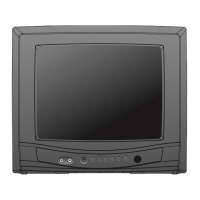
13” Digital / Analog
Television
Owners Manual
CR130DR8
IF YOU NEED ADDITIONAL ASSISTANCE WITH SETUP OR OPERATING AFTER
READING OWNER’S MANUAL, PLEASE CALL TOLL FREE 1-800-605-8379, OR
VISIT OUR WEB SITE AT http://www.funai-corp.com
TO RECEIVE DIGITAL/ANALOG SIGNAL,
YOU MUST CONNECT ANTENNA.

Table of Contents

Question and Answer IconNeed help?

Do you have a question about the Durabrand CR130DR8 and is the answer not in the manual?

Summary

Important Safeguards

Precautions and Warnings

Remote Control Functions

Installing Remote Batteries

Control Panel Overview

Rear Panel Connections

Basic Connection Guide

Antenna Cable Connection

Connects the unit to an antenna or cable TV company.

External Device Connection

Initial Setup Procedure

Main Menu Navigation

Auto Channel Scanning

Channel Selection

Volume Adjustment

Switching Broadcast and Input Modes

Channel Management (Add;Delete)

Picture Adjustment Options

Closed Captioning Display

DTV Closed Caption Settings

DTVCC Caption Style Customization

V-chip Parental Control Setup

TV Rating System Configuration

MPAA Rating System Configuration

Password Management for V-Chip

Troubleshooting Common Issues

Maintenance and Troubleshooting Checks

Durabrand CR130DR8 Specifications

General IconGeneral
Screen Size13 inches
Display TechnologyCRT
ResolutionStandard Definition (SD)
Aspect Ratio4:3
Audio OutputMono
Input PortsComposite
Power ConsumptionNot available
DimensionsNot available
WeightNot available

Related product manuals