For TV or Portable Use
When using the DVD player for the first time, you may need to set some of the settings and
adjustments according to your TV and favorite preferences.
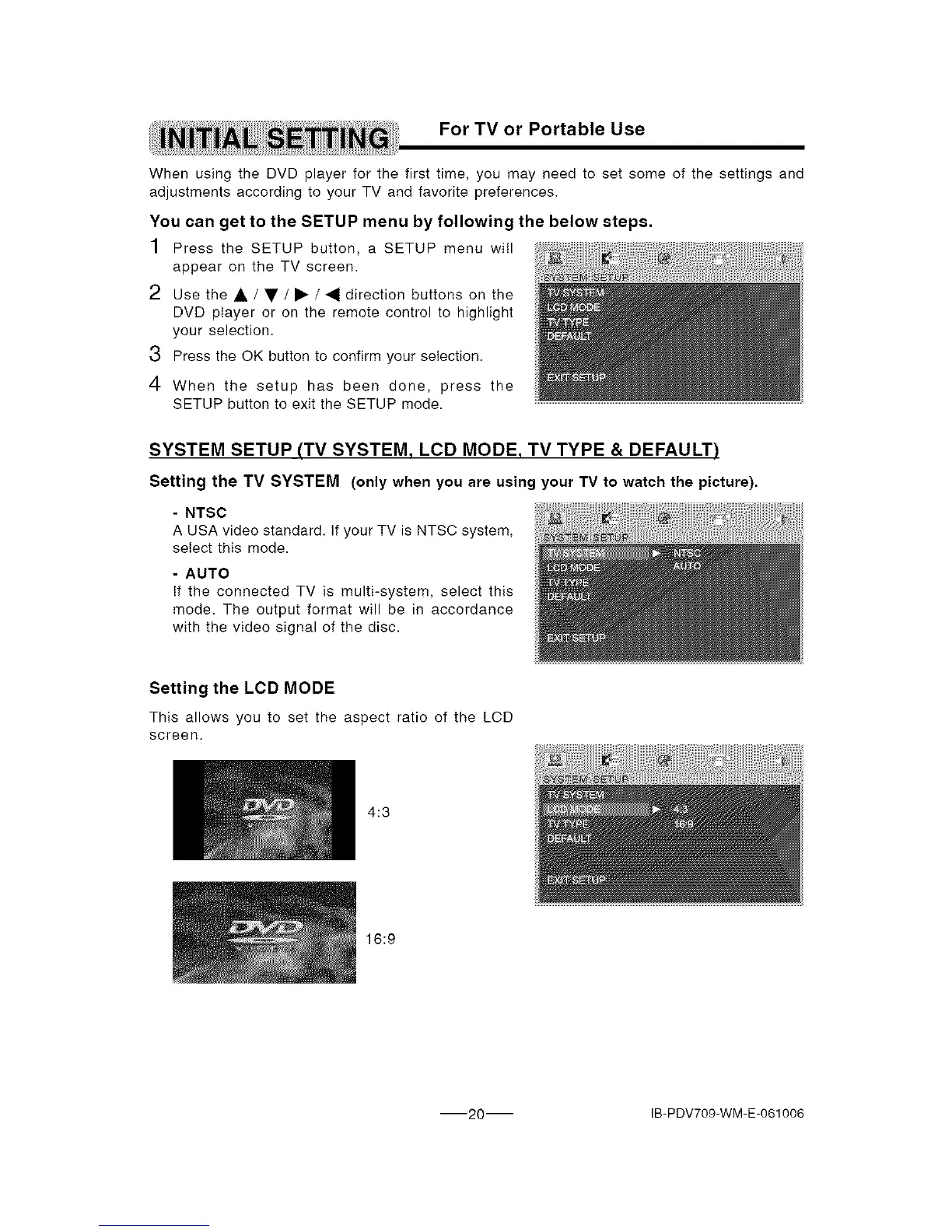
You can get to the SETUP menu by following the below steps.
1 Press the SETUP button, a SETUP menu wilI
appear on the TV screen.
2 use the A / • / • / _1 direction buttons on the
DVD player or on the remote control to highlight
your selection.
3 Press the OK button to confirm your selection.
4 When the setup has been done, press the
SETUP button to exit the SETUP mode.
SYSTEM SETUP (TV SYSTEM, LCD MODE, TV TYPE & DEFAULT)
Setting the TV SYSTEM (only when you ere using your TV to watch the picture).
- NTSC
A USA video standard. If your TV is NTSC system,
select this mode.
- AUTO
If the connected TV is multi-system, select this
mode. The output format will be in accordance
with the video signal of the disc.
Setting the LCD MODE
This allows you to set the aspect ratio of the LCD
screen.
4:3
16:9
-20 IB-PDV709-WM-E-061006


 To Next Page