2 | 1. Getting to Know Your Kodiak
DuraLabel.com | 800.788.5572
Kodiak Quickstart Guide
This document will help you quickly get started using your new DuraLabel Kodiak printer.
For more information, see your Kodiak User Guide, or contact Graphic Products by
calling 800.788.5572 or visiting GraphicProducts.com.
1. Getting to Know Your Kodiak
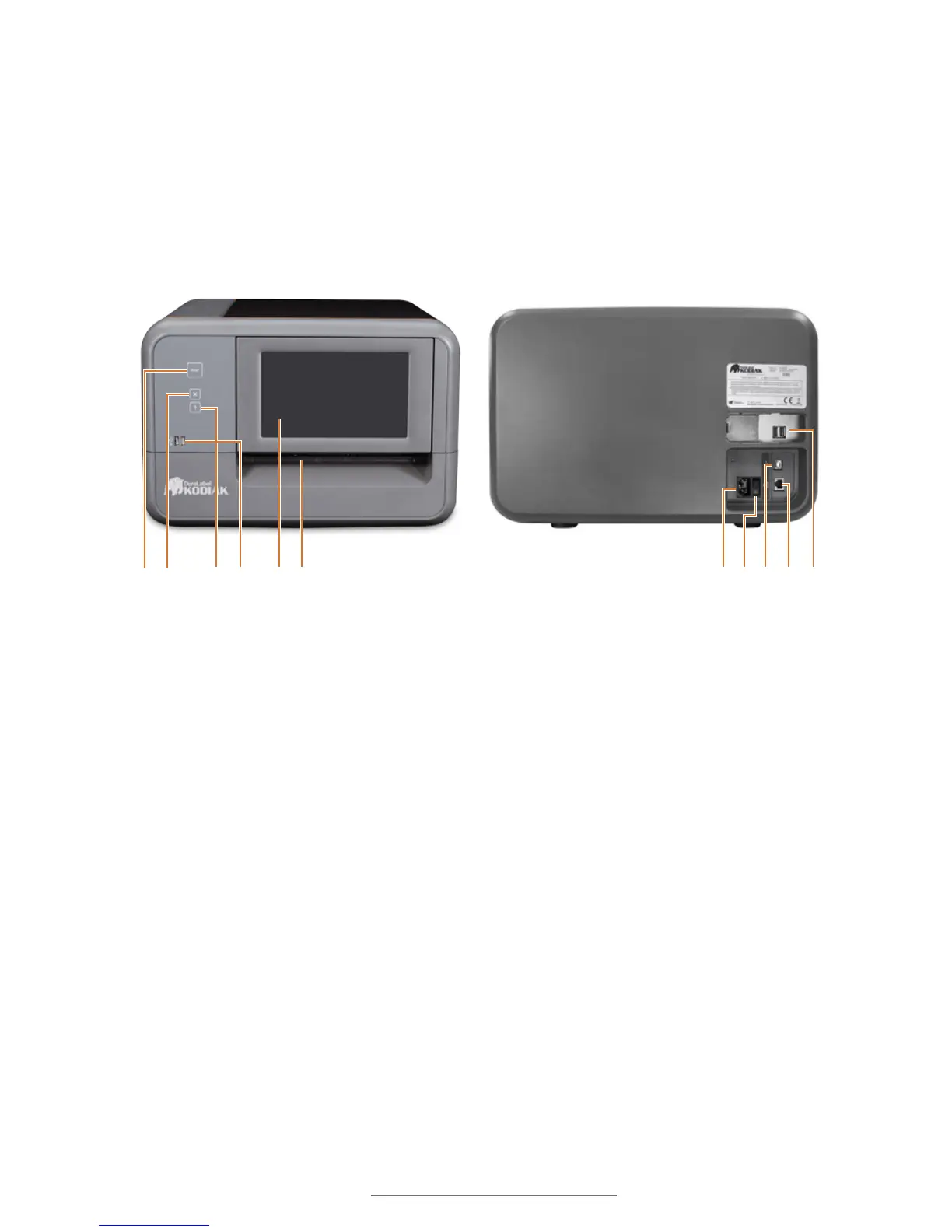
FRONT VIEW: BACK VIEW:
1. Print Button: Print one copy of the
current label
2. X (Cancel) Button: Cancel the
current print job
3. ? (Help) Button: Open the help
window for the current program
4. USB Ports: Connect wireless
keyboard adapter here
5. Adjustable Touchscreen: Stylus (not
required) is stowed in the lower right
corner
6. Cutter Slot: Finished labels will come
out here
1. Power Socket
2. Power Switch
3. USB-B Port
4. Ethernet Port
5. Additional USB Ports (behind
removable panel)
1 2 3 54 6 1 2 3 54



 To Next Page