2 | 1. Getting Started
DuraLabel.com | 800.788.5572
1. Getting Started
Thank you for choosing the DuraLabel Toro. With this guide, you’ll quickly learn how to
set up your Toro, load supplies, and start printing labels.
1. Unpack the Toro and verify that the following components are included:
◦ Toro Printer
◦ AC Power Brick/Adapter and Cord
◦ Wireless Mouse
◦ Battery and Battery Charger (if purchased)
2. Place the Toro printer with the Control Panel facing toward you.
3. Plug the AC power brick/adapter into a standard, grounded three-prong wall outlet,
then plug the other end into the Toro.
4. Push the Keyboard Release Slider on the control panel to the right and swing the
keyboard down.
5. Push the screen release button to the right of the computer screen. Pull the screen
up until it locks on the desired position.
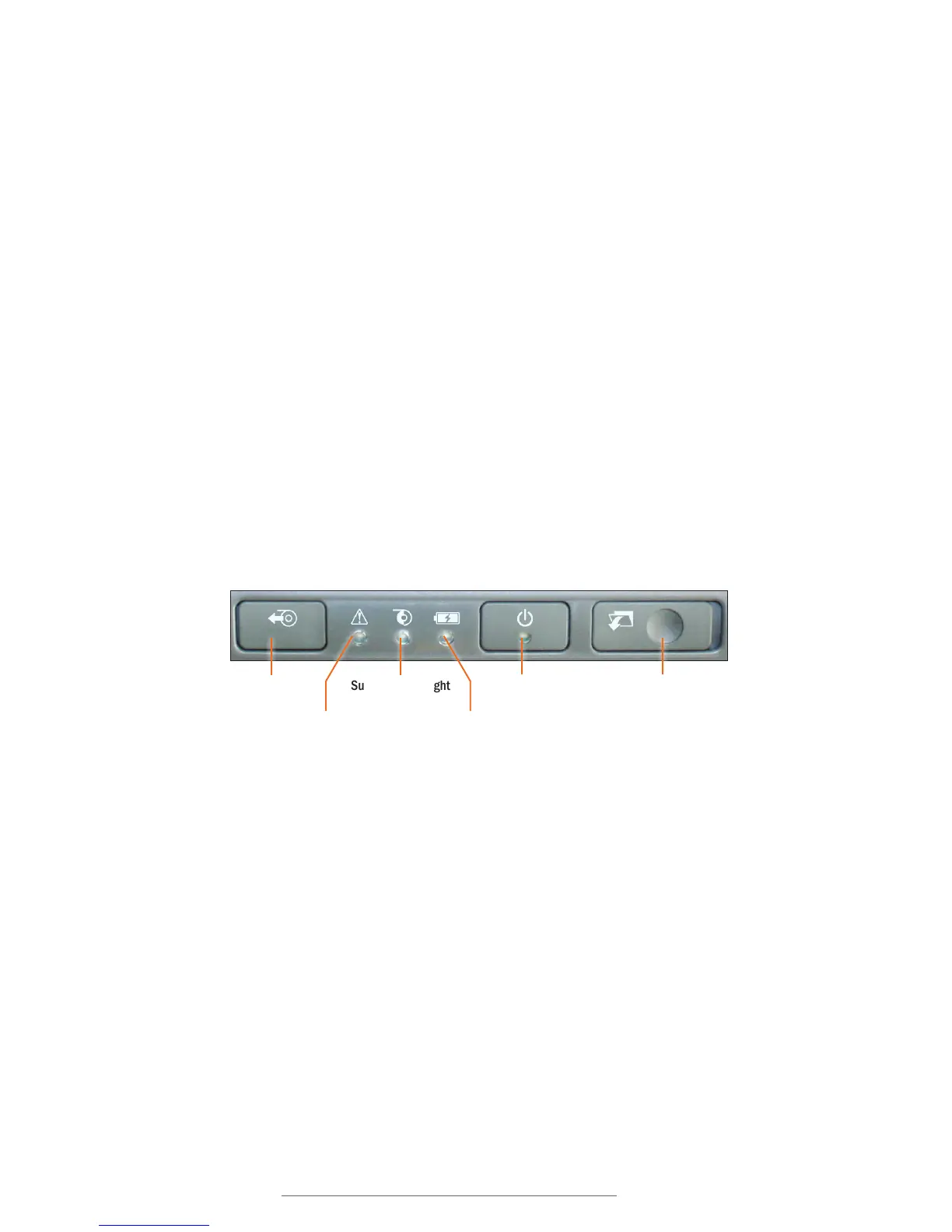
Supply Feed Power Button
Printer Status Light
Supply Status Light
Battery Status Light
Keyboard Release Slider
Control Panel



 To Next Page