8
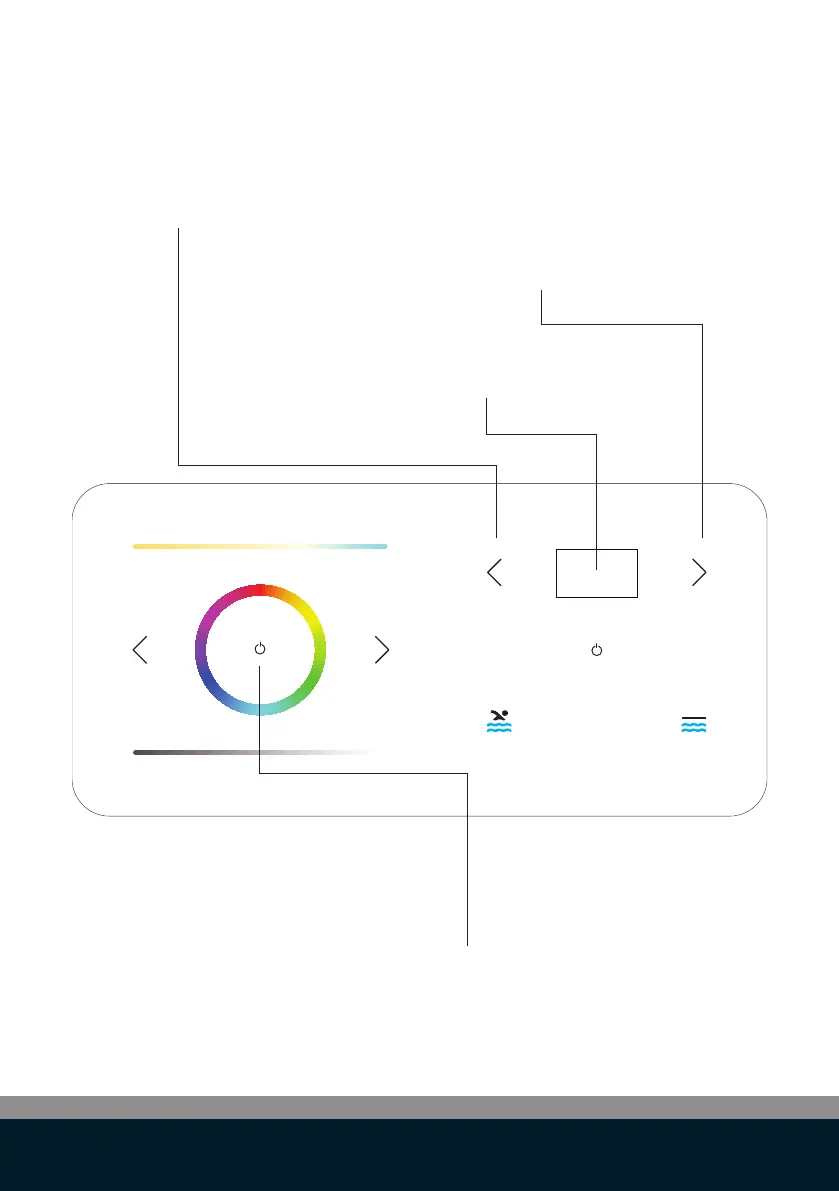
ON/OFF Lights:
Press and hold for 1 second ON/OFF to see the
current settings
Activate the settings menu (*),
then use left arrow key to select the
desired setting.
Activate the settings menu (*),
then use right arrow key to select the
desired setting
(*) Touch the display for 3 seconds to
activate the settings menu.
Advanced control functions: pool lights



 To Next Page