13
+RZWR8VH&RQWLQXHG
Sync Finish
=RQHDQG=RQH)LQLVKLQJDWWKH6DPH7LPH
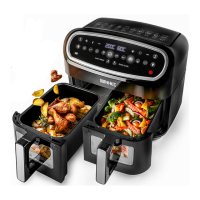
The Sync Finish mode allows you to cook different foods in each Zone
compartment which may require dif
ferent time or temperature to each other and
WR¿QLVKFRRNLQJDWWKHVDPHWLPHDVHDFKRWKHU)RULQVWDQFH\RXPD\ZLVKWR
dehydrate fruit in one drawer and cook some fries in the other. With the Sync
Finish mode, you are able to achieve this so that you can use both foods at the
same time.
To activate Sync Finish mode:
1.
Press the Power button.
2. Press the Sync Finish button
3. Press the Zone 1 button.
4.
6HOHFWHLWKHUDSUHVHWFRRNLQJPRGHLH¿VKPHDWHWFRUVHOHFW\RXURZQ
temperature and time using the Temperature +/- buttons and Time +/- buttons.
5.
Press the Zone 2 button
6. 6HOHFWHLWKHUDSUHVHWFRRNLQJPRGHLH¿VKPHDWHWFRUVHOHFW\RXURZQ
temperature and time using the Temperature +/- buttons and Time +/- buttons.
7. Press the Start/Pause button.
8. The Zone with the longest time will begin to heat up and cook the food inside.
When the cooking time comes to an end, it will make a beeping noise, both
Zones will stop cooking and the unit will switch itself off.


 To Next Page