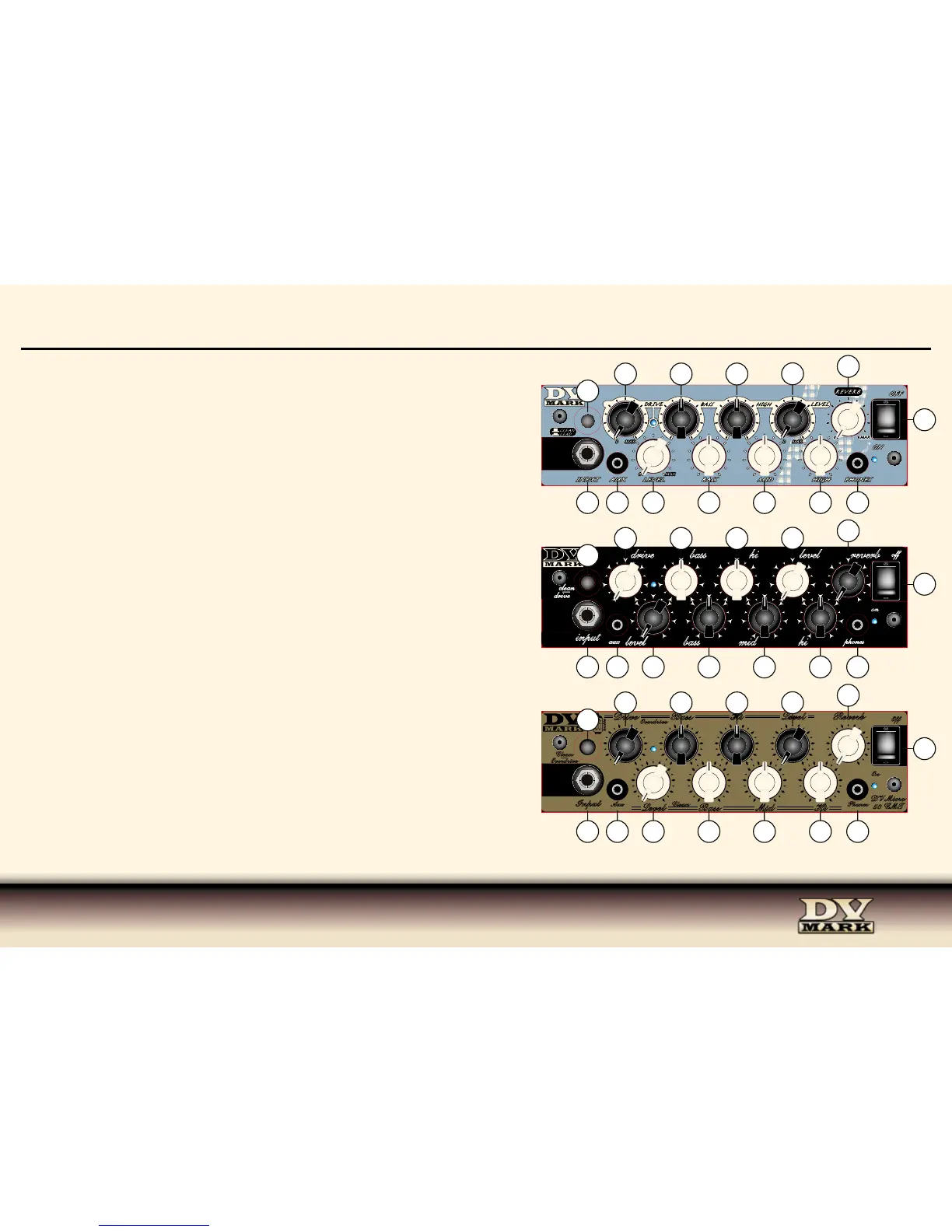
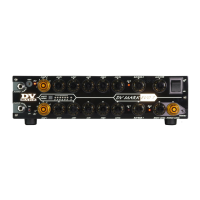
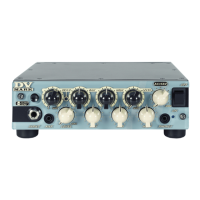
1) INPUT Connect your guitar to this input using a standard ¼” shielded instrument
cable. It’s also designed to perfectly interface with all the effects most used by
guitarists.
2) LEVEL This knob sets the input level, turn it up gradually until you reach your
desidered volume.
3) BASS This knob controls the amount of low frequencies in your sound.
4) MID The Middle control regulates the midrange frequencies and it is an important
part of your tone shaping.
5) HIGH The High knob controls the amount of high frequencies in your sound.
6) DRIVE (LEAD CHANNEL) Adjusts the amount of distortion on CH2, ranging
from crunch to overdrive sounds.
7) BASS This knob controls the amount of low frequencies in your sound.
8) HIGH The High knob controls the amount of high frequencies in your sound.
9) LEVEL (LEAD CHANNEL) This knob sets the input level, turn it up gradually
until you reach your desidered volume.
10) REVERB Level control for the onboard reverb. This amp features a last
generation of digital reverb, it’s sweet-sounding, warm and natural.
11) AUX Use this input to plug in an iPod, CD or MP3 player using a mini plug 1/8”.
This signal mixes in evenly with your instrument input.
12) CLEAN/LEAD SWITCH This channel selector switches between the Clean and
Lead channels.
Channel-switching can also be controlled by a footswitch that can be plugged into
the amp’s rear panel (20).
13) PHONES For quiet practing plug headphones into this mini plug 1/8” input. You
can practice anywhere and anytime you like.
14) ON/OFF SWITCH This switch delivers AC power to the amp.
FRONT PANEL - DV MICRO 50 II - DV MICRO 50 M - DV MICRO 50 CMT
Drive Bass Hi
Level
Reverb
Level
Bass
Mid
Hi
PhonesAux
Input
Clean
―
Overdrive
Overdrive
Clean
DV Micro
50 CMT
Off
On
leveldrive bass
hi reverb
level bass mid
hi
phonesaux
input
clean
―
drive
Micro 50
M
off
on


 To Next Page