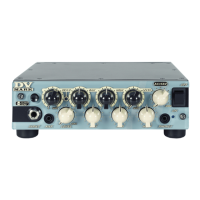
FRONT PANEL - DV MICRO 50 JAZZ
8
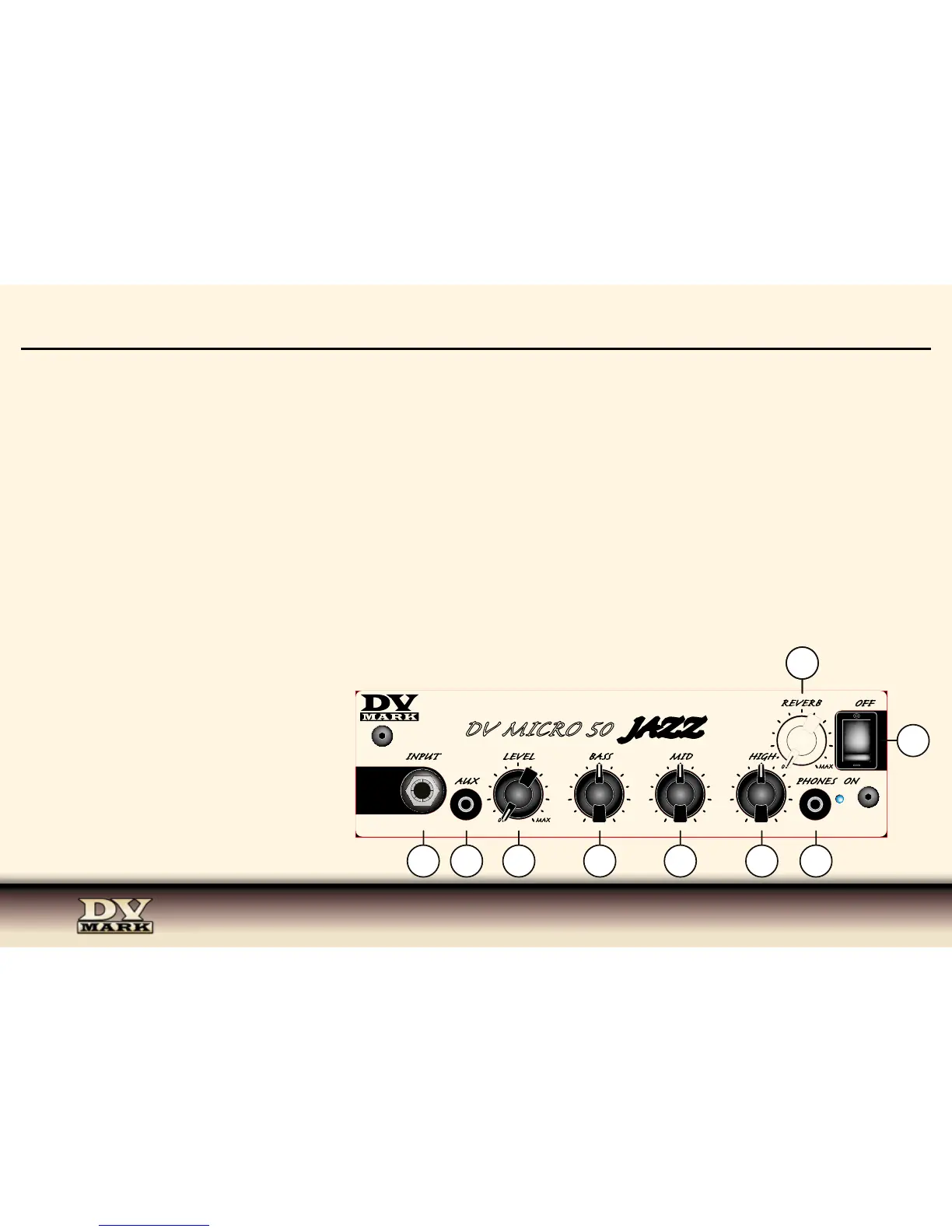
1) INPUT Connect your guitar to this input using a standard ¼” shielded instrument cable.
2) LEVEL Start with the Master Level control OFF (all the way counter-clockwise) and turn it up gradually until you reach your deidered volume.
3) BASS This knob controls the amount of low frequencies in your sound.
4) MID The Middle control regulates the midrange frequencies and it is an important part of your tone shaping.
5) HIGH The High knob controls the amount of high frequencies in your sound.
6) REVERB Level control for the onboard reverb. This amp features a last generation of digital reverb, it’s sweet-sounding, warm and natural.
7) AUX Use this input to plug in an iPod, CD or MP3 player using a mini plug 1/8”. This signal mixes in evenly with your instrument input.
8) PHONES For quiet practing plug headphones into this mini plug 1/8” input. You can practice anywhere and anytime you like.
9) ON/OFF SWITCH This switch delivers AC po-
wer to the amp.


 To Next Page