Need help?
Do you have a question about the DVS EC Automatic and is the answer not in the manual?
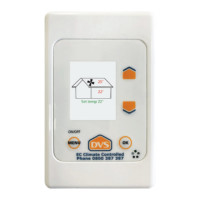
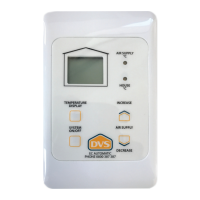
Shows fan operation status: moving symbol for Fan On, static symbol for Fan Off.
Check control panel and supply air temperature. Associated LED illuminates for viewed temperature.
Indicate which temperature is being viewed, linked to Temperature Display function.
Adjusts calibrated condensation control setting (air supply rate) using Increase or Decrease buttons.
Turns the system On or Off by pressing and holding the button for 2 seconds.
Hold a specific button for 5 seconds to enter shortcut for setting High Temperature Cut out.
System shuts off if supply air exceeds this temperature. Display shows current temp or 'OF' for off.
Provides advice on achieving a healthier, drier living environment and optimal system operation.
Recommends annual replacement of genuine DVS filters for system durability and performance.
Details the 5-year on-site parts and labour warranty for DVS manufactured products.
 General
| Brand | DVS |
|---|---|
| Model | EC Automatic |
| Category | Control Unit |
| Language | English |

 To Next Page