EasyManua.ls Logo

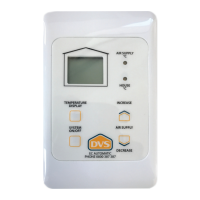
DVS EC Automatic - DVS EC Automatic Controller Interface; Main Display; Temperature Display; LED Indicators

DVS EC Automatic
4 pages
Print Icon
To Next Page IconTo Next Page
To Previous Page IconTo Previous Page
Loading...
Displayed on the home screen.
DVS® EC Automatic Controller User Guide
Temperature Display
System On / O
Main Display
Will show fan operation
Indication.
Moving symbol = Fan On
Static symbol = Fan O
Press for 2 seconds to
turn the system On / O.
By pressing the
Temperature Display
button you can check
the Temperature at the
control panel and the
Supply Air Temperature
in the system fan. The
associated LED will
illuminate indicating
which temperature
you are viewing. You
can toggle between
each by pressing the
Temperature Display
button more than once.
To increase
or decrease
the calibrated
condensation
control setting
(air supply rate)
press Increase or
Decrease.
Air Supply
See Temperature
Display.
LED Indicators

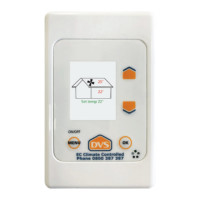
Related product manuals