Need help?
Do you have a question about the Dyegoo G25 and is the answer not in the manual?
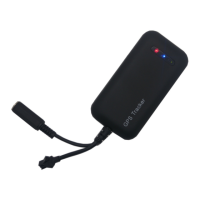
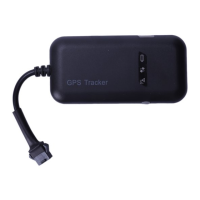
Overview of the G25 4G/GSM high precision vehicle GPS tracker, its technology, and capabilities.
Details the specific types and key functional features of the G25 GPS tracking device.
Presents comprehensive technical specifications, including product features, application areas, and device parameters.
Explains the meaning of the device's LED indicators (GPS, Communication, Power Status) for operational feedback.
Outlines the necessary power supply specifications and correct wiring procedures for the GPS tracker.
Instructions for configuring the Access Point Name (APN) via SMS for network connectivity.
Details SMS commands to set the IP address and port for the tracker's server communication.
Configures the frequency of data uploads to the server using SMS commands.
Sets intervals for moving and static data uploads via SMS commands.
Controls vehicle relay functions, like oil cut and resume, using SMS commands.
Enables and configures overspeed alerts through SMS commands.
Manages the device's time zone settings via SMS commands.
Manages the arming and disarming of the device's defensive state via SMS.
Retrieves device software version, IMEI, APN, and time zone using SMS commands.
Obtains vehicle mileage information from the tracker via SMS command.
Initiates a device restart using a specific SMS command.
Restores the device to its default factory settings via SMS command.
Provides the web address for accessing the device management platform.
Instructions for finding and using the DYEGOO mobile application for device monitoring.
Steps to check package contents and prepare for the GPS tracker installation.
Guides on testing and correctly inserting the SIM card into the device.
Provides detailed instructions on the physical placement and mounting of the tracker.
Suggests optimal covert and non-covert locations for installing the tracker.
Specific guidance for installing the tracker in visible, non-covert locations.
Steps to diagnose and resolve issues when the device is not connecting to the web platform.
Advice on ensuring proper GPS signal acquisition when the device is unfixed.
Evaluates tracker accuracy in areas with tree obstruction, showing trajectory data.
Presents trajectory data from testing the tracker on a standard, open road.
Shows tracker performance and trajectory while driving under a viaduct.
Assesses tracker accuracy in urban settings with potential GPS signal interference.


 To Next Page
 General