EasyManua.ls Logo

Dyegoo GT02D - User Manual

Dyegoo GT02D
30 pages
Print Icon
To Next Page IconTo Next Page
Loading...
Vehicle GPS Tracker
(GPS+GSM+SMS/GPRS)
GT02D User Manual
(Version 9.9)
Thank you for purchasing the tracker. This manual shows how to operate the
device smoothly and correctly. Make sure to read this manual carefully before
using this product. Please note that specification and information are
subject to changes without prior notice in this manual. Any change will be
integrated in the latest release. The manufacturer assumes no responsibility
for any errors or omissions in this document.
Question and Answer IconNeed help?

Do you have a question about the Dyegoo GT02D and is the answer not in the manual?

Summary

1. Summary

2. Accessories

3. Specifications

4. Device Status Indicators

5. Installation

5.1 Preparation Before Installation

Steps for preparing the device before installation, including checking contents.

5.1.4 Installing SIM Card

Procedure for inserting and testing the SIM card for the device.

5.3 Selecting Installation Place and Fixing

Guidance on choosing optimal locations and methods for physically securing the device.

5.3.1 Covert Installation

Instructions and considerations for discreet device installation, often requiring professional help.

5.3.2 Non Covert Installation

Guidelines for visible or easily accessible device installation on the dashboard or other locations.

6. Device Wiring Requirements

7. The Device Working

7.1 Power On

Steps and indicators for turning on the device and its initial data upload process.

7.2 Power Off

Procedure for safely shutting down the device by disconnecting its power source.

8. User Settings

8.1 SMS Commands Instruction

Comprehensive guide to SMS commands for configuring and controlling device functions via text messages.

Center Number Management

Commands to add, delete, and manage authorized center phone numbers for device control.

Administrator Number View

Command to retrieve the currently set administrator or center numbers.

Authorized Number Setup

Commands to add and delete phone numbers authorized for specific device operations, like oil control.

View Authorized Numbers

Command to check the list of numbers authorized for device control.

APN Configuration

SMS commands to set the Access Point Name (APN) for GPRS data connection.

Server Settings

Commands to configure or view the IP address and port for the data server.

Moving Time Interval

SMS command to set the data upload interval when the device is in motion.

Static Time Interval

SMS command to set the data upload interval when the device is stationary.

Cancel Continuous Upload

Command to stop the device from continuously sending data.

Power Cut Control

SMS commands to remotely cut off or restore the vehicle's oil and power supply.

GMT; Time Zone Setting

Command to set the device's Coordinated Universal Time (UTC) offset.

Vibration Alarm Settings

Commands to configure sensitivity and alarming methods for vibration detection.

ACC Alarm Settings

Commands to enable, disable, and configure alarming methods for ACC (ignition) status.

ACC & Vibration Alarm Control

Commands to simultaneously control ACC and vibration alarms.

Over-Speed Alarm Setup

Commands to set speed limits and alarming methods for over-speed events.

GEO-fence Configuration

SMS commands to set up and cancel geofencing areas and alarming methods.

Device Reset

Command to reset the device to its default factory settings.

Factory Reset

Command to restore the device to its original factory configuration.

Language Selection

Command to change the device's response language (e.g., Chinese or English).

Position Information

Command to request the device's current location data like latitude and longitude.

Google Maps Link

Command to get a Google Maps URL with the device's location and other details.

Software Version Check

Command to query the device's current software version.

Parameter Status Check

Command to view the device's current settings and default parameters.

Device Status Check

Command to check the real-time working status of the device's components.

Low-battery;External Power Alarm

Commands to enable or disable alarms for low battery or external power disconnection.

9. Platform

10. Troubleshooting

10.1 Device Not Online or Offline

Steps to diagnose and resolve issues when the device is not communicating with the web platform.

10.1.2 Network Problem Check

Guidance on identifying potential network operator issues affecting device connectivity.

10.2 GPS Signal Issues

Instructions for improving GPS signal reception by ensuring an open sky view.

10.3 GSM Signal Issues

Steps to troubleshoot GSM signal reception problems, including SIM card checks.

Overview

This document describes the GT02D Vehicle GPS Tracker, a device designed for remote location and monitoring of targets using GSM/GPRS networks and GPS satellites.

Function Description

The GT02D tracker offers real-time GPS positioning and a range of alarm functions to enhance vehicle security and monitoring. It operates on GSM 850/900/1800/1900MHz frequencies and supports GPRS Class12, TCP/IP for data transmission. Key functionalities include:

  • GPS Positioning: Provides accurate location data.
  • Oil-cut Function: Allows remote control to cut off the vehicle's oil supply.
  • GEO-Fence Alarm: Triggers an alert when the vehicle enters or exits a predefined geographical area.
  • ACC Alarm: Notifies when the vehicle's ignition (ACC) is turned on.
  • Vibration Alarm: Alerts if the device detects vibration.
  • Power-Cut Alarm: Informs if the external power supply to the device is cut off.
  • Overspeed Alarm: Sends an alert if the vehicle exceeds a set speed limit.

Important Technical Specifications

  • GSM Frequencies: 850/900/1800/1900MHz
  • GPRS: Class12, TCP/IP
  • Working Voltage: 9-40V DC
  • Working Current: Approximately 22mA (12VDC), approximately 12mA (24VDC)
  • GPS Locating Time: Cold start ≈ 38s (Open sky), Warm start ≈ 32s, Hot start ≈ 2s (Open sky)
  • GPS Precision: 10m (2D RM)
  • Working Temperature: -20℃ to +70℃
  • Working Humidity: 20% to 80% RH
  • Measurement: 90(L) x 45(W) x 13.5(H) mm

Usage Features

The GT02D is designed for ease of use and remote management through SMS commands and an online platform.

Installation: The device should be installed by a professional. Key considerations include:

  • SIM Card: Requires a GSM 2G network compatible SIM card with GPRS enabled. The SIM card should be tested in a mobile phone to ensure SMS and GPRS functionality.
  • Placement: Install in a hidden location such as under the front/back windshield or in the front instrument panel. Avoid placing near signal radiators like reverse sensors. The device has internal GSM and GPS antennas, so ensure the receiving side faces up and is free from metal obstruction to optimize GPS signal reception. Metal covers can reduce GPS signal reception.
  • Fixing: Secure the device with cable ties or wide double-sided tape.
  • Wiring: The power supply is DC 9-40V. The red wire is positive, and the black wire is negative. The negative pole should connect to ground or metal, avoiding other ground lines.

Device Status Indicators:

  • Power Status (Red LED): Continuously Bright (External Power Connected), Continuously Dark (External Power Cut-off).
  • GPS Indicator (Blue LED): Continuously Bright (GPS Unfixed), Flashing (GPS Fixed).
  • GSM Indicator (Green LED): Continuously Bright (No GSM Signal), Flashing (GSM Signal OK).

Power Management:

  • Power On: Connect to power and switch on the device. All three LEDs will light up. The device will upload data to the online platform at a default interval of 15 seconds. After 5 minutes of static state, it enters energy-saving mode.
  • Power Off: Disconnect power wires and switch off the device.

SMS Commands Instruction: The device is configured and controlled primarily through SMS commands sent from a designated "center number" or "authorized numbers."

  • Center Number: Up to two numbers can be set as center numbers. These numbers can control oil/power, receive alarms, and restore factory settings. They must be mobile phone numbers (not the tracker's SIM card number) and include the country code (e.g., 710#008613500135000#).
    • CENTER Add 710#number# or 711#number#
    • CENTER Del D01# or D02#
    • View 901# (to view set center numbers)
  • Authorized Number Set: Up to three numbers can be authorized for SMS control of oil.
    • Authorized Add 101#number#, 102#number#, 103#number#
    • Del D11#, D12#, D13#
    • View C10# (to view authorized numbers)
  • APN Setting: Configure the Access Point Name (APN) according to the local telecom operator.
    • APN Setting 802#username#pass word# (for APN with password)
    • APN Setting 802#internet# (for APN without password)
  • Set/View Server: Change or view the IP address and port of the server.
    • SERVER 803#SERVER#port# (e.g., 803#47.90.39.27#6100#)
    • View SERVER 804# or CIP#
  • Moving Time Interval: Set the data uploading interval when the device is moving.
    • TIMEER 730#uploading interval# (e.g., 730#20# for 20 seconds; range 10-60 seconds, 0 for no upload)
  • Static Time Interval: Set the data uploading interval when the device is static.
    • STATIC 731#time interval# or SUP#time interval# (e.g., 731#5# for 5 minutes; range 1-60 minutes)
  • Cancel Continuous Upload: Stop sending data to the platform.
    • NUP 740# or NUP#
  • Power-Cut (Oil/Power Control):
    • RELAY 222# (cut off oil and power; only works below 20KM/H or when static)
    • RELAY 333# (recover oil and power)
  • GMT: Set the time zone. Default is 0.
    • GMT 801#TIME ZONE# (e.g., 801#E8# or 801#W5#)
  • Vibration Alarm: (Default: Closed)
    • VIBRATION Parameter 123#sensitivity#alarming way# (sensitivity 1-5, 1 most sensitive; alarming ways: 1-calling, 2-texting, 3-calling and texting)
    • Set come into vibration alarm time V123#sensitivity#
    • Enable vibration Alarm 911#
    • Disable vibration Alarm 456#
  • ACC Alarm: (Default: Closed)
    • Enable 840#Alarming Way# (alarming ways: 1-calling, 2-texting, 3-calling and texting)
    • Disable 840#0#
  • ACC Alarm & Vibration Alarm Open/Close: Control both alarms simultaneously.
    • Enable 110#
    • Disable 111#
  • Over-Speed Alarm: (Default: Closed)
    • SPEEDING 667#speed#alarming way# (speed range 60-220; alarming ways: 1-calling, 2-texting, 3-calling and texting)
    • Parameter SSA#speed#alarming way#
  • GEO-fence Setting: (Default: Closed)
    • Setting 920#radius#way# (radius 1-100, unit: 100 meters; alarming ways: 1-calling, 2-texting)
    • Cancel 921#
  • Reset: Restart the device.
    • RESET 930#
  • Factory: Restore factory settings (only by center number).
    • Parameter 940#
  • Language Setting: Set the language for location replies (Chinese or English URL link).
    • LANG LANG1# (Chinese)
    • LANG LANGO# (English)
  • Position: Get current longitude, altitude, speed, and IMEI.
    • WHERE 988#
  • Google Link: Get Google Maps link with Latitude, Longitude, IMEI.
    • WHERE 666#
  • Version: Check the software version.
    • VERSION V00#
  • Parameter Check: Check current settings and default parameters (IMEI, APN, IP, port, TIMER, STATIC, CENTER, LANG, GMT).
    • Parameter 886#
  • Status Check: Check the device's working status (External power, GSM Signal, GPS, RELAYER, Vibrate Warning, Pause).
    • Status 902#
  • Set Low-battery/External power Alarm: (Default Enabled)
    • Disable 555#
    • Enable 556#

Online Platform and APP:

  • Website: http://www.dyegoo.net. Login using the ID (last 11 bits of IMEI) found on the tracker's label and the default password 123456.
  • APP: http://www.dyegoo.net/app/. For Android phones, GoogleServicesFramework.apk might be required to display Google Maps.

Maintenance Features

Troubleshooting:

  • Device Offline:
    • Check the three LED indicators.
    • Call the device's number to check connectivity.
    • If no connection, the device might be out of signal; drive to an open sky area.
    • If SIM card is out of deposit, recharge it.
    • If you can call the device but it's offline, check GPRS function with your operator.
    • If the device is powered off:
      • Check if the red LED is flashing. If dark, check power connection and fuse.
      • If the green GSM LED is not flashing, check SIM card installation.
      • If the blue GPS LED is not constant light, GPS signal is poor; check installation position and ensure it's in an open area with a clear view of the sky.
    • Check if the offline area is due to network problems of operators.
  • GPS Signal Issues: Drive to an open sky area and ensure no metal objects obstruct the device.
  • GSM Signal Issues: Check SIM card installation. If in a basement or similar area, drive to an open sky.
  • APN Configuration: If the tracker is offline, set the APN using an SMS command. Obtain the correct APN from your mobile operator.
  • Lost IP/Port: Send an SMS command from the admin number to reset the IP and port (e.g., 803#gps.dyegoo.net#6100# or 803#47.90.39.27#6100#).
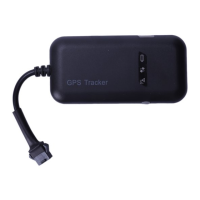
Dyegoo GT02D Specifications

General IconGeneral
BrandDyegoo
ModelGT02D
CategoryGPS
LanguageEnglish

Related product manuals