Making Labels
14
To print multiple labels
1 Copy the text you wish to print as labels to the clipboard.
2 From the Tape Settings toolbar, select the tape width from the Tape Width pull-down menu.
3 Select the formatting for the labels from the Formatting toolbar.
For example, you can change the font, size, and the horizontal position on the label.
4 Select Smart Paste from the Edit menu.
A dialog box appears telling you how many labels will be printed.
5 Click OK. The labels begin printing.
Printing Multiple Labels Using Merge Print from Database
This section explains how to print labels by merging data exported from a database program. When
you print labels using this command, the labels will be formatted using the font, size, and style
currently selected for the label.
To print multiple labels from a database file
1 Export the records you wish to print as labels to a CSV or text file from your database
program.
2 From the Tape Settings toolbar, select the tape width from the Tape Width pull-down menu.
3 Select the formatting for the labels from the Formatting toolbar.
For example, you can change the font, size, and the horizontal position on the label.
4 Select Merge Print from Database from the File menu. The File Open dialog box appears.
5 Navigate to and open the file you exported from your database.
A dialog box appears telling you how many labels will be printed.
6 Click OK. The labels begin printing.
Printing from Other Applications
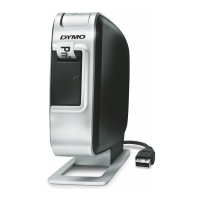
The LabelMANAGER installation wizard installs a standard Windows printer driver on your
computer so the LabelMANAGER printer will appear in your list of printers. This printer can be
used to print directly from other applications, such as Microsoft Word or Access, in the same
manner as you would use any other printer.









 To Next Page