EasyManua.ls Logo

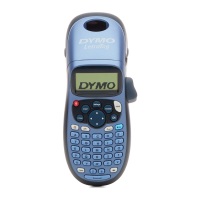
Dymo LetraTag Plus LT-100H - User Manual

Dymo LetraTag Plus LT-100H
70 pages
Print Icon
To Next Page IconTo Next Page
Loading...
www.dymo.com
LTRazor_cover.indd 1 13-01-2006 14:40:24
User Guide . . . . . . . . . . . . . . . . . . . . . Page 2
Guía del usuario . . . . . . . . . . . . Página 22
Guía do Usuário. . . . . . . . . . . . . Página 46
LT-100H
Question and Answer IconNeed help?

Do you have a question about the Dymo LetraTag Plus LT-100H and is the answer not in the manual?

Summary

About Your New Label Maker

Connecting Power Sources

Details on powering the label maker using batteries or an AC adapter.

Connecting Power Options

Label Cassette Insertion Guide

Printing Your First Label Guide

Adjusting Font Size

Applying Font Styles

Font Style Selection

Creating Two-Line Labels

Box and Underline Styles

Label Printing Options

Label Maker Memory Usage

Label Maker Care and Maintenance

Cleaning the Cutter Blade

Procedure for safely cleaning the sharp cutter blade.

Cleaning the Print Head

Troubleshooting Common Issues

Display and Print Quality Troubleshooting

Solutions for blank displays and issues related to poor print quality.

Cutter and Tape Jam Troubleshooting

Addressing problems with cutter performance and resolving tape jams.

Contacting DYMO Customer Support

Summary

About Your New Label Maker

Connecting Power Sources

Details on powering the label maker using batteries or an AC adapter.

Connecting Power Options

Label Cassette Insertion Guide

Printing Your First Label Guide

Adjusting Font Size

Applying Font Styles

Font Style Selection

Creating Two-Line Labels

Box and Underline Styles

Label Printing Options

Label Maker Memory Usage

Label Maker Care and Maintenance

Cleaning the Cutter Blade

Procedure for safely cleaning the sharp cutter blade.

Cleaning the Print Head

Troubleshooting Common Issues

Display and Print Quality Troubleshooting

Solutions for blank displays and issues related to poor print quality.

Cutter and Tape Jam Troubleshooting

Addressing problems with cutter performance and resolving tape jams.

Contacting DYMO Customer Support

Dymo LetraTag Plus LT-100H Specifications

General IconGeneral
Display TypeLCD
Print Resolution160 dpi
Max Tape Width12 mm
Number of Fonts5
Number of Font Styles8
Memory9-label memory
Number of Supported Symbols195
TypeHandheld
Label Width12 mm
Auto Shut-offYes
Tape TypeLetraTag
Warranty1 year limited
Power Source4 AA batteries

Related product manuals