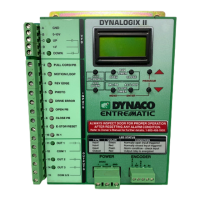
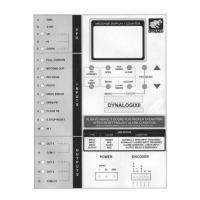
8. Press and Release the ENTER button to save limit setting. Display will
change back to: ClsLimit_Set--OK .
9. Press and release either red arrow buttons to scroll up or down to the
PhtLimit (photo eye shut off position). See figure 2.0-4.
11. Use the JOG UP/RESET button to bring door up one inch above the photo
eyes. See figure 2.0-5.
10. Press and release ENTER button. Display will change to:JogToPht_Enter.
Setting Limits
DYNACO USA, INC, 4 The Leader in Door Safety & Design
7. Press the JOG DOWN button to bring the door down to desired close
position. See figure 2.0-3.
6. Press and release the Enter button. Display should change to JogToCls.
See figure 2.0-3.
Figure 2.0-3: Jog Down Button
5. Press and release the Enter button. Display should change to ClsLimit.
Figure 2.0-4: Arrow Buttons (Scroll)
JOG
UP/RESET
JOG
DOWN
OPEN CLOSE
MC/PB AC/LOOP
PROGRAM
CLOSE
TIMERS
RUN
TIMERS
MENU
ENTER
Press and
release either
arrow buttons
to scroll up or
down to:
MESSAGE DISPLAY / COUNTER
PhtLimit
If door moves in the opposite direction of JOG DOWN button, door is out of phase.
Turn power off and switch T2 & T3 on the terminal block. Turn power on and return
to step one of the set limit section (2.0/Step1).
STOP
JOG
UP/RESET
JOG
DOWN
OPEN CLOSE
MC/PB AC/LOOP
PROGRAM
CLOSE
TIMERS
RUN
TIMERS
MENU
ENTER
Press the
JOG DOWN
button to bring
door down.
Display
should read:
MESSAGE DISPLAY / COUNTER
JogToCls
Enter


 To Next Page
 Loading...