Need help?
Do you have a question about the DYNACO Dynalogix II and is the answer not in the manual?
Translates display readings like Ready, Drive Error, Rev-Edge Tripped, timers, SET LIMITS, and ENCODER COM_LOSS with corresponding actions.
Procedure to set initial door limits on power-up, including program mode entry and button operations.
Guidance on adjusting limits after the initial setup, recommending reference to the initial setup section.
Instructions for configuring a second height limit for doors with the dual height option.
Procedure for setting the Open Run Timer duration to prevent continuous door operation.
Procedure for setting the Close Run Timer duration as a failsafe.
Configuration for the MC/PB timer, which can function in manual or automatic modes.
Configuration for the AC/LOOP timer, typically used for motion sensors and loops.
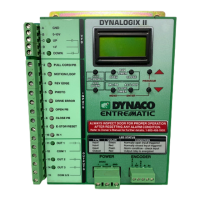
Description of the nine inputs on the Dynalogix II, their identification, and indicator lights.
Details on the typical uses for Input 2 (MC/PB Timer), Input 3 (AC/LOOP Timer), Input 4 (Reversing Edge), Input 5 (Photo Eye), and Input 6 (Drive Error).
Explanation of how inputs like pull cords, sensors, and emergency stops are wired to specific terminals.
 General
| Brand | DYNACO |
|---|---|
| Model | Dynalogix II |
| Category | Control Panel |
| Language | English |

 To Next Page