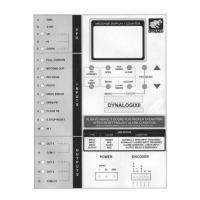
Run Timers
DYNACO USA, INC, 7 The Leader in Door Safety & Design
3.0 Setting the Open and Close Run Timers
The Open Run Timer and Close Run Timer act as a failsafe, to prevent the
door from running continuously, when open or close limit switch fail to stop
door. These timers should be set for a period that exceeds the duration of a full
open or close cycle.
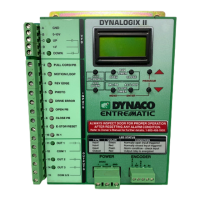
1. Press and release Open Run Timer button on the Dynalogix II controller.
The display will change to: Opening_Time=##. See figure 3.0-1.
2. Use the Up and Down arrow buttons to change the countdown time to the
desired duration. The Dynalogix II will automatically save any changes that
are made. See Figure 3.0-2.
Figure 3.0-2: Raise/Lower Run Timers
JOG
UP/RESET
JOG
DOWN
OPEN CLOSE
MC/PB AC/LOOP
PROGRAM
CLOSE
TIMERS
RUN
TIMERS
MENU
ENTER
Increase
Setting
Decrease
Setting
3. Repeat steps 1 and 2 to set the Close Run Timer.
Figure 3.0-1: Run Timers
JOG
UP/RESET
JOG
DOWN
OPEN CLOSE
MC/PB AC/LOOP
PROGRAM
CLOSE
TIMERS
RUN
TIMERS
MENU
ENTER
Open/Close
Run Timers
MESSAGE DISPLAY / COUNTER
Opening
Time=##


 To Next Page