PSD 215 | 218
9
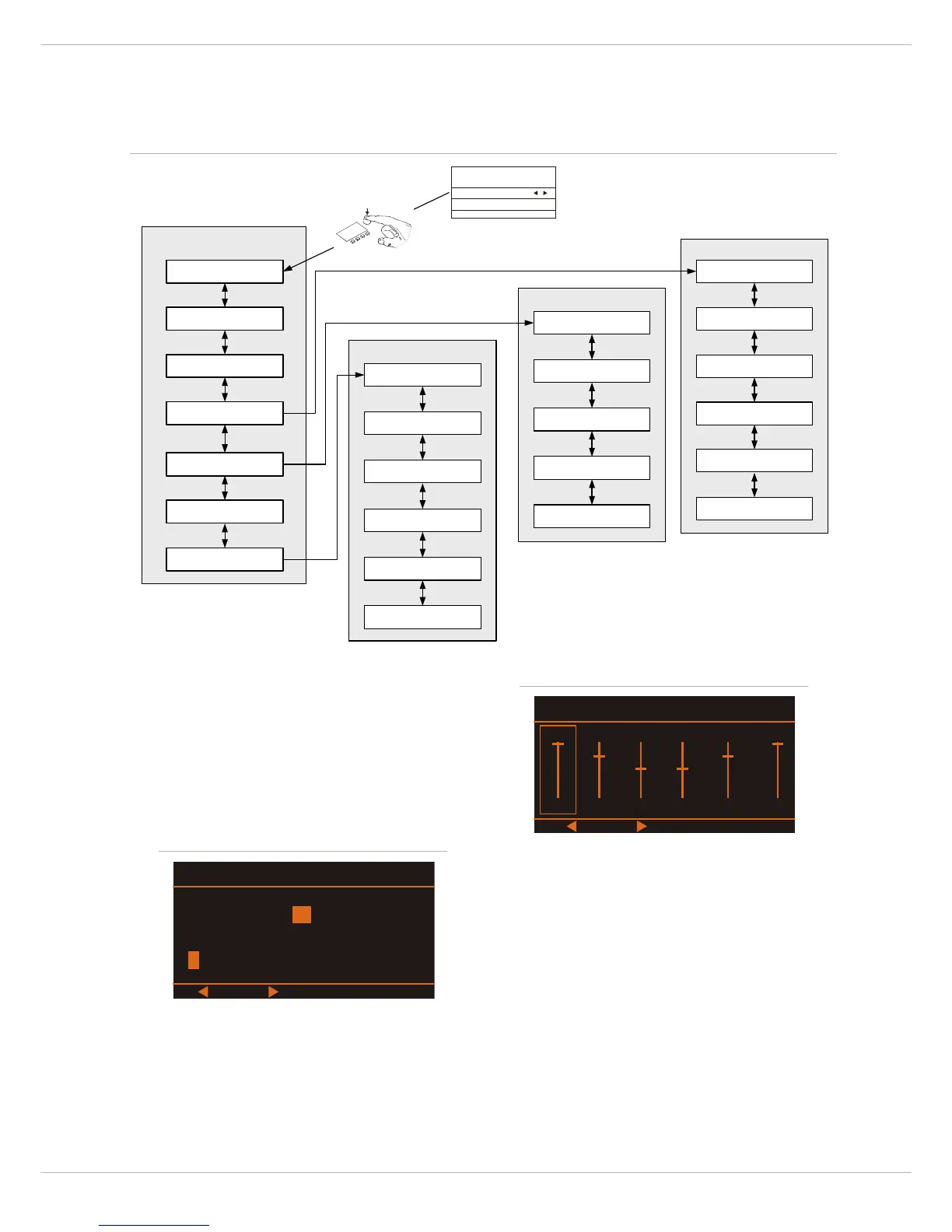
Press the MENU/ENTER rotary encoder to open the Set
Preset Name dialog. This dialog is used to change the user
memory‘s description. Turn the MENU/ENTER rotary enco-
der to the left or right to edit the highlighted character.
Pressing the MENU/ENTER rotary encoder accepts the de-
sired symbol and moves the cursor to the next character.
Move the cursor to the left or to the right by pressing the
or function keys. Select the symbol or press the OK
function key to quit editing the name. Pressing the BACK
function key returns to the menu.
S
YSTEM EQUALIZER
This dialog is used to edit the 6 band System Equalizer fil-
ter settings. Select a filter band (e.g. 160 Hz) by pressing
the
or function keys.
Turn the MENU/ENTER rotary encoder to set the level amp-
lification (boost, accentuation) or reduction (cut,
lowering) of a band. The filter setting is illustrated by a
fader. Pressing the OK function key returns to the menu.
Pressing the FLAT function key resets all filter bands to
0dB.
S
YSTEM ALIGNMENT
This dialog allows to set up the basic speaker settings of
the PSD system. Turn the MENU/ENTER rotary encoder to
highlight an entry in the left column of the System
Alignment dialog. Press the MENU/ENTER rotary encoder
to select the corresponding value in the right column. Now
turn the MENU/ENTER rotary encoder to edit the value and
press the MENU/ENTER rotary encoder again to apply the
new value. The following table lists the entries of the
dialog, please also refer to the block diagram on page 25.
Illustration 2-7: Menu structure of the PSD


 To Next Page