3
P75 mk4 Jumper Location and Settings
The P75 can be adjusted to suit any cartridge on the market.
Adjustments are easily made by the user. No soldering or extra components are
required.
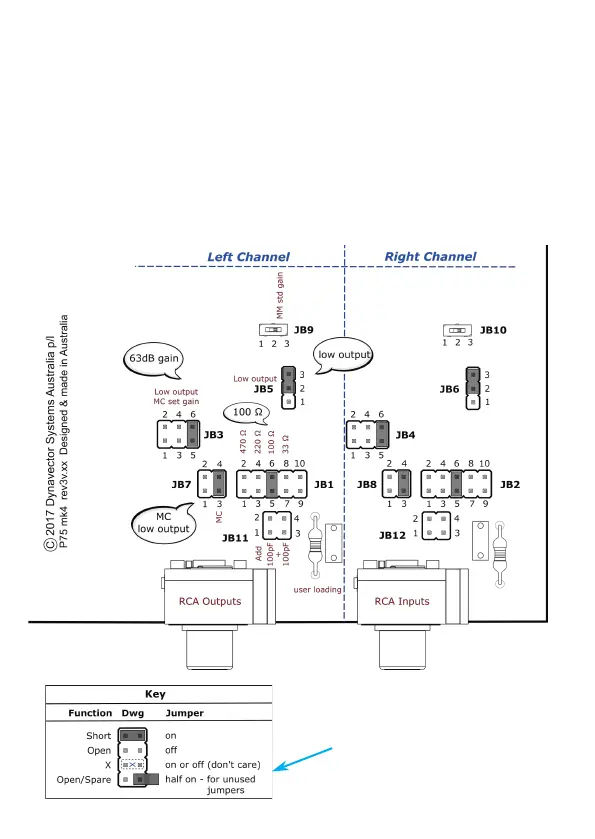
The different settings are made by changing the position of jumpers on t he Jumper
Blocks. The layout of the jumpers is shown below.
Standard / Default Settings
When delivered from the factory, the P75 is set to the following standard setting:
Low output moving coil 100 ohm 63dB gain. Shown below.
This setting is perfect for about 95% of low output moving coil cartridges.
Tip:
place unused/spare jumpers half-on
(just connected to one pin). This
prevents them getting lost.


 To Next Page