10 DynaVox
Turning the Maestro On For The First Time
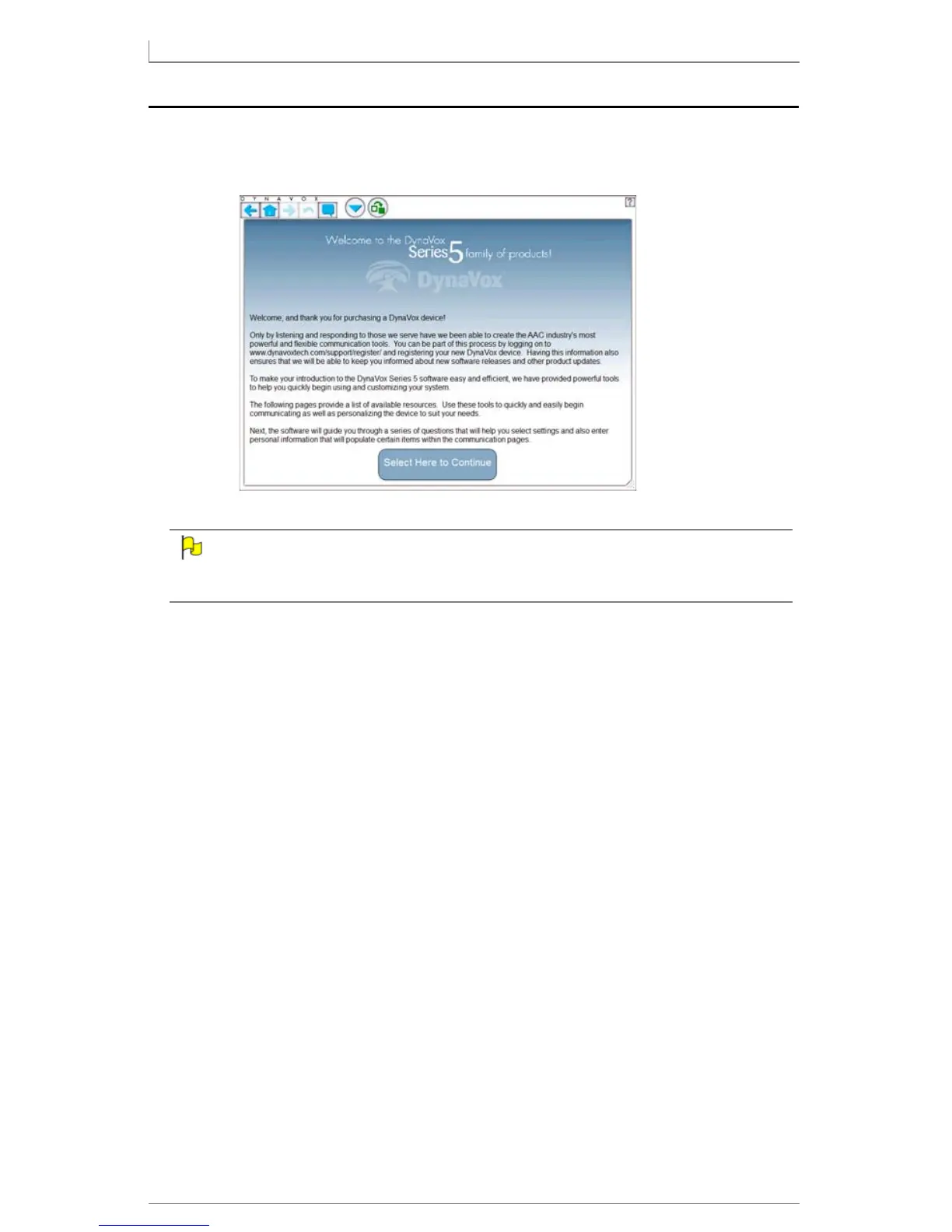
1. Press the Power button (p. 4, #1) to turn the Maestro on. After the software
boots up, you will see the Introductory (Welcome) screen.
If you see a different screen, navigate to the first introductory page. See
User’s Guide: Appendix C for step-by-step instructions.
2. Press Select Here to Continue to move on.
3. Learn about the additional resources available both on the device and in
the box (on CD and/or DVD, in print, etc.). Keep selecting Next to
continue.
After a few screens, the User Setup Wizard will appear. It will help you to quickly
and easily create a .user file - a set of communication pages and other files - and
choose a page set.
4. To begin the User Setup Wizard, select Next.
5. Follow the on-screen prompting from the User Setup Wizard. Some of the
questions you will be asked include:
• what to name the .user file
• personal information about the user (address, hobbies, names of
family members, pets, teachers, clinicians, etc.)
• selecting a speaking voice for the Maestro
Answer each question to the best of your ability.
6. The Confirmation Page of the User Setup Wizard lets you look over (and
change) all of the settings that you previously entered in the User Setup
Wizard. Make any final changes, and then select Save and Exit.



 To Next Page