12 DynaVox
The Title Bar
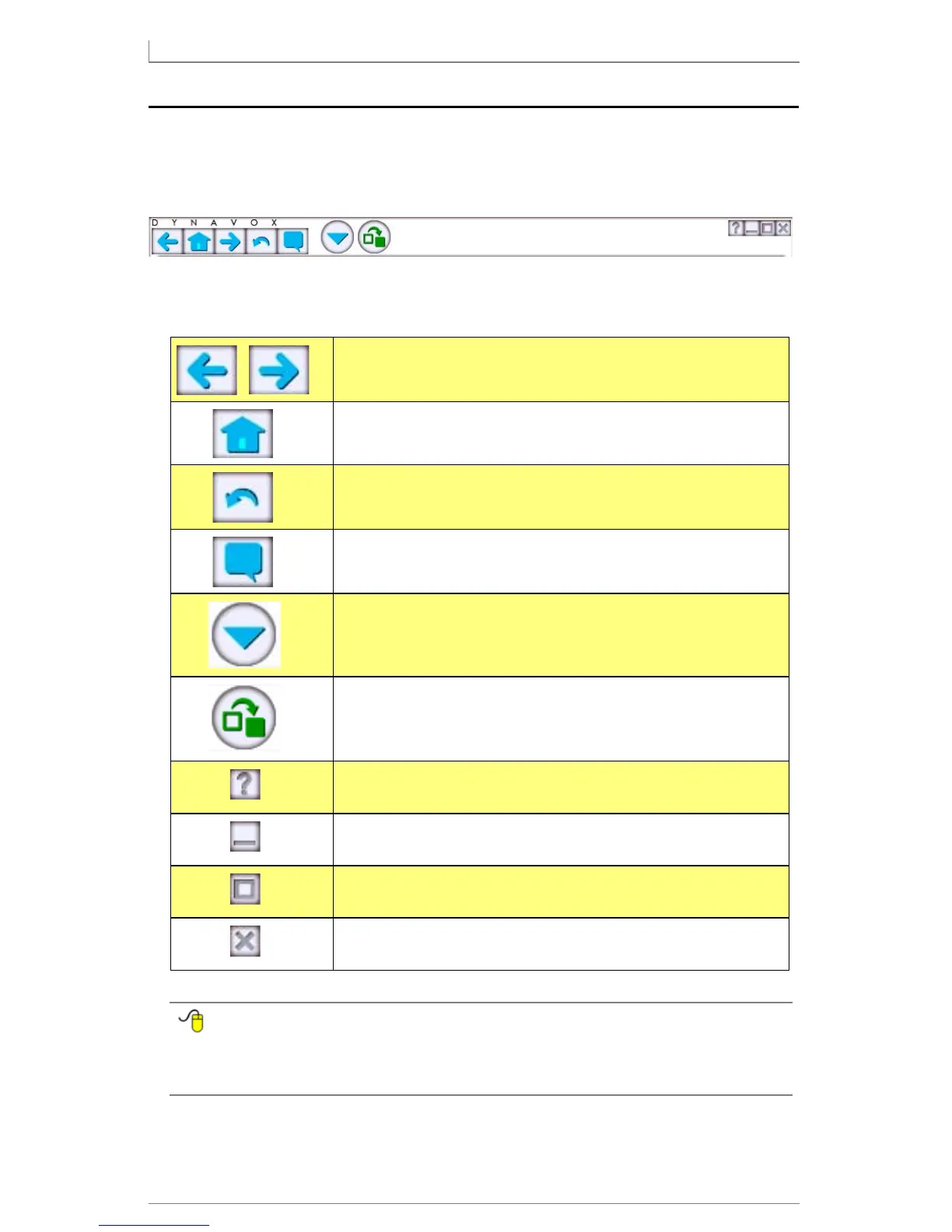
The white bar that stretches across the top of the touch screen is the title bar. It
contains tools for using the DynaVox Series 5 software:
The title bar tools are as follows:
To find more information about each item in the title bar, open the
Searchable Help and perform a keyword search on “using the title bar
tools."
Page Back/Page Forward: Move backwards and
forwards through your page history.
Home Page: Return to your designated Home Page
(starting point).
Undo: Undo the most recent action performed in the
Message Window (supports multiple levels of undo).
My Phrases: Provides access to frequently-used
phrases in the My Phrases menu.
Main Menu: Opens a series of drop-down menus that
give you access to all features, menus, and commands.
Modify: Enables you to quickly and easily customize
any selected object on a page or popup.
Describe: Simple help feature that provides a brief
description of the next selected screen element.
Minimize: (open device only) Hide the Series 5
software window on the WIndows Desktop.
Maximize: (open device only) Toggle the Series 5
software window between actual size and full screen.
Close: (open device only) Close the DynaVox software.
(You have a chance to save your changes.)



 To Next Page