Maestro Quick Start Guide 17
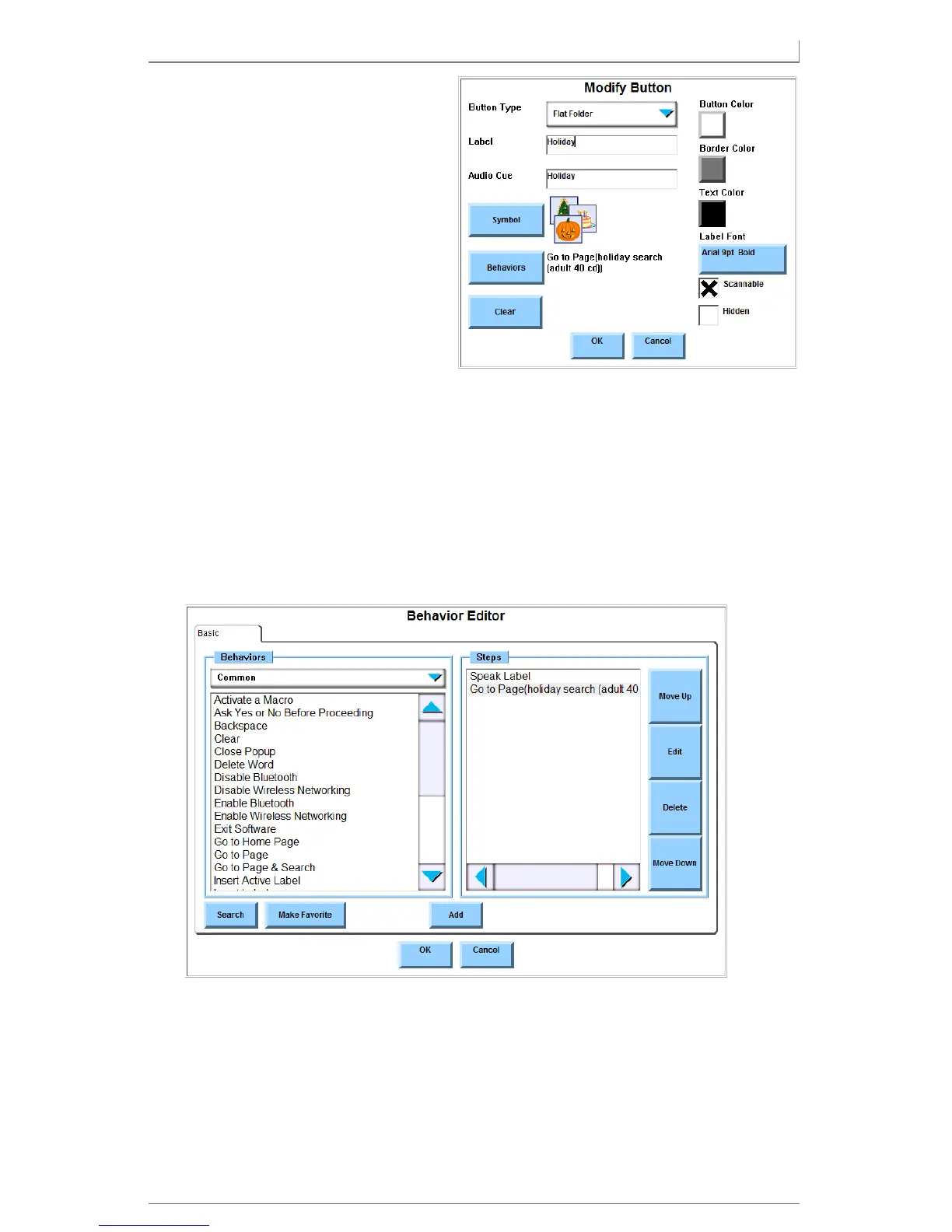
3. Use the controls in the Modify
Button menu to change the
appearance and performance
of the button:
• Button type (shape &
function)
• Label & audio cue text
• Color scheme
• Symbol shown on the
button
• Font color, size, and style
• Button behaviors
Assigning Behaviors To A Button
Select the Behaviors button in the Modify Button menu. The Behavior Editor
menu will open.
1. Find a behavior to assign to the button (one of two ways):
• Choose a category from the Behaviors drop-down menu. The
behaviors in that category are shown in the viewport.
• Select Search and enter a word in the behavior name. The software
returns a list of behaviors that match your criteria.



 To Next Page