31
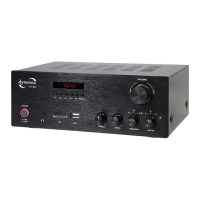
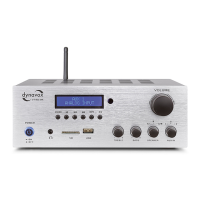
1. POWER ( )
Switches on and off the amplifier. Reduce volume
before switching on!
2. Headphone jack plug ( )
This 3,5mm jack plug allowes the use of a head-
phone with a impendance of 32 - 600 Ohm.
3. SD
Jack for SD memory.
4. USB
Jack for USB memory.
5. TREBLE
Regulates the high tone content of the output
signal.
6. BASS
Regulates the low tone content of the output
signal.
7. SPEAKER (A, B, A/B)
Regulates the signal output of the speaker connec-
tions. With the switching positions A and B you’re
able to turn on and off the outputs „SPEAKER A“
and „SPEAKER B“. With the switching position A/B,
under usage of suitable speakers (8 - 16 Ohm),
you’re able to use both outputs „SPEAKER A“ and
„SPEAKER B“ at once.
8. Input Selector (AUX IN)
Input selector for signal entrances AUX1 (18), AUX2
(19) and AUX3 (SD
(3)
/ USB
(4)
/ BT / FM-Tuner.
9. Display and Mediaplayer
see page 32.
10. IR-Receiver
IR-Receiver for remote control.
11. VOLUME
Regulates the volume of the outputs
„SPEAKER A + B“ (21), „PRE-OUT“ (20) and „ “ (2).


 To Next Page