2
DX-WMSE
Dynex DX-WMSE
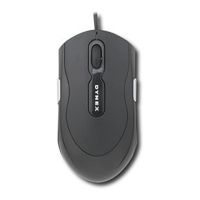
Wired Optical Mouse
Contents
System requirements ................................................................................2
Package contents ......................................................................................2
Connecting your mouse ............................................................................2
Using your mouse .....................................................................................3
Legal notices .............................................................................................4
One-Year Limited Warranty.......................................................................5
System requirements
• Microsoft Windows 2000, Windows XP, Windows Vista, Windows 7
• Available USB port
Package contents
This package contains the following:
•Wired optical mouse
•Quick Setup Guide
Connecting your mouse
To connect your mouse:
• Plug your mouse’s USB connector into the open USB port.
• Windows will automatically find your mouse and install the appropriate driver.


 To Next Page