Dynex Wired Optical Mouse
3
Using your mouse
Note: Optical technology can precisely detect the mouse motion on most surfaces. Avoid
using the optical mouse on a reflective, transparent, metallic, or complex-pattern surface.
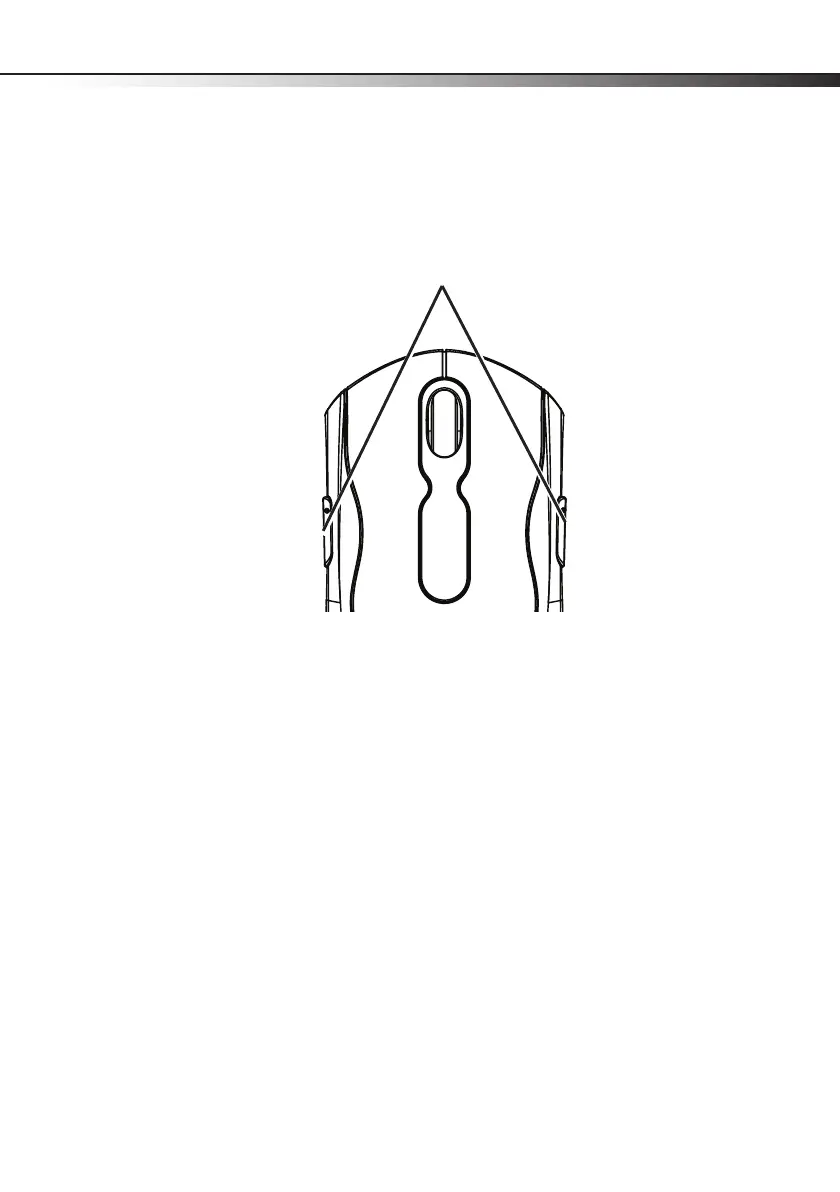
Function button definition
Back: Go back to the previously viewed item in programs that support the “Back” command,
such as a Web browser
Forward: if it was previously viewed in the same session, goes to the next item in programs
that support the “Forward” command, such as a Web browser
Note: If you want to program the function buttons, visit www.dynexproducts.com to
download Mouse Suite software.
Cleaning the mouse
Wipe the bottom of the mouse with a damp, lint-free cloth.
Function buttons


 To Next Page