EasyManua.ls Logo

Dynex DX-R13TV - User Manual

Dynex DX-R13TV
54 pages
Print Icon
To Next Page IconTo Next Page
Loading...
USER GUIDE • GUIDE DE L’UTILISATEUR • GUÍA DEL USUARIO
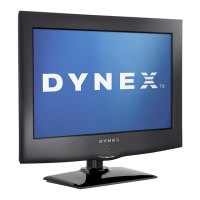
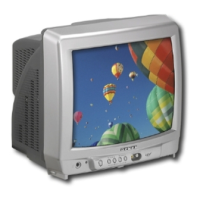
13” Color Television with Digital Tuner
Téléviseur Couleur de 13” po avec Syntoniseur Numérique
Televisor a Color de 13” con Sintonizador Digital
DX-R13TV

Questions and Answers

  • P
    Paula LongAug 18, 2025
    Why won't my Dynex DX-R13TV turn on?
    • A
      Amanda SchroederAug 18, 2025
      If your Dynex TV isn't turning on, make sure the power cord is properly plugged in. Try using a different AC outlet to rule out power source issues. Check your fuse or circuit breaker. As a last resort, unplug the TV for an hour, then plug it back in.
  • M
    Michelle WilliamsAug 21, 2025
    How to fix a Dynex DX-R13TV TV with poor picture quality?
    • S
      Samuel McgeeAug 21, 2025
      To fix poor picture quality on your Dynex TV, first tune to another station to check if the station or cable is experiencing problems. Make sure channels are set into memory. Check your antenna or cable connections and adjust the antenna. Look for sources of possible interference. Also, check the picture control adjustments.
  • C
    Carlos RyanAug 23, 2025
    What to do if my Dynex DX-R13TV reception is poor on some channels?
    • K
      Kimberly CraigAug 23, 2025
      If you're experiencing poor reception on some channels with your Dynex TV, try tuning to another station to rule out station or cable issues. Ensure that the channels are correctly set into memory. If a station is weak, adjust the antenna to receive the desired station. Check for any sources of possible interference.
  • L
    Linda BanksAug 26, 2025
    Why does my Dynex DX-R13TV TV have poor or no color?
    • B
      brittneyjohnsonAug 26, 2025
      If your Dynex TV has poor or no color, tune to another station to see if the station or cable is experiencing problems. Make sure the channels are set into memory. Check the picture control adjustments, antenna or cable connections, and adjust the antenna. Also, check for sources of possible interference.
  • L
    Lori AndersonAug 28, 2025
    How to fix horizontal or diagonal bars on my Dynex TV screen?
    • K
      kelly02Aug 28, 2025
      To fix horizontal or diagonal bars on your Dynex TV screen, check the antenna connections. Adjust or re-direct the antenna. Also, check for sources of possible interference.
  • D
    Dr. Alexander LindseyAug 30, 2025
    What to do if my Dynex DX-R13TV has no reception above channel 13?
    • J
      Justin ClaytonAug 31, 2025
      If your Dynex TV has no reception above channel 13, make sure the TV CABLE menu option is in the appropriate mode. If you're using an antenna, check the UHF antenna connections.
  • K
    Keith EdwardsSep 2, 2025
    What to do if the Dynex DX-R13TV TV remote is not working?
    • J
      josephwilliamsSep 2, 2025
      If your Dynex TV remote isn't working, the batteries might be weak, dead, or inserted incorrectly, so check them first. Ensure you're within 15 feet of the TV and that the remote is aimed at the sensor. Also, make sure there are no obstructions between the remote and the TV. Verify that the power cord of the TV is plugged in.
  • A
    arielbarnettSep 4, 2025
    Why is there no sound on my Dynex DX-R13TV?
    • J
      Jacqueline HughesSep 5, 2025
      If you're experiencing poor or no sound on your Dynex TV, the station or cable might be experiencing problems, so try tuning to another station. Check your sound adjustments, such as volume and mute settings. Also, check for any sources of possible interference.
  • C
    Christopher GordonSep 7, 2025
    Why does the picture wobble or drift on my Dynex DX-R13TV?
    • A
      Amanda CalhounSep 7, 2025
      If the picture wobbles or drifts on your Dynex TV, try tuning to another station to see if the station or cable is experiencing problems. Ensure that channels are set into memory. It's possible the cable company is scrambling the signal. Try adjusting the antenna.
  • C
    cdodsonSep 9, 2025
    Why does my Dynex DX-R13TV TV shut off by itself?
    • R
      Robert WrightSep 9, 2025
      Your Dynex TV might be shutting off because there's no broadcast on the tuned station. Also, check if the sleep timer is set. Power interruption can also cause this issue.

Summary

Important safety instructions

Important safeguards

Key safety guidelines and precautions for using the television.

Remote control

Remote control buttons and functions

Details the purpose and operation of each button on the remote control.

Setting up the television

Connecting your television to AC power

Instructions for safely connecting the TV to an electrical power source.

Installing batteries in the remote control

Guide to inserting batteries into the remote for proper operation.

Connecting to an antenna

Steps to connect various antenna types for signal reception.

Connecting to cable television

Using the menu

Setting the language

Guide to selecting the on-screen display language from English, French, or Spanish.

Memorizing channels

Automatic memory tuning

Process for automatically scanning and storing available TV channels.

Adding and deleting channels

Manual steps to add or remove specific analog or digital channels.

Using the TV

Adjusting the picture

Picture adjustment parameters

Details adjustable picture settings like brightness, contrast, color, tint, and sharpness.

Controlling closed captioning

Digital Closed Captioning

Specifications

Product specifications overview

Detailed technical characteristics of the television, including dimensions, power, and inputs.

Troubleshooting

Common problems and solutions

A guide to diagnosing and resolving typical issues encountered with the television.

90-Day Limited Warranty

Dynex DX-R13TV Specifications

General IconGeneral
BrandDynex
ModelDX-R13TV
CategoryTV
LanguageEnglish

Related product manuals