3
1.0 QUICK START INSTRUCTION
1.1 Mounting
• Prepare panel cutout to specified dimensions
• Slide case through cutout and install mounting clips over case ends, engaging the detents in
the case. Slide mounting clips fully forward (with the y side toward the front) until base is
secure in panel.
•
1.2 Wiring
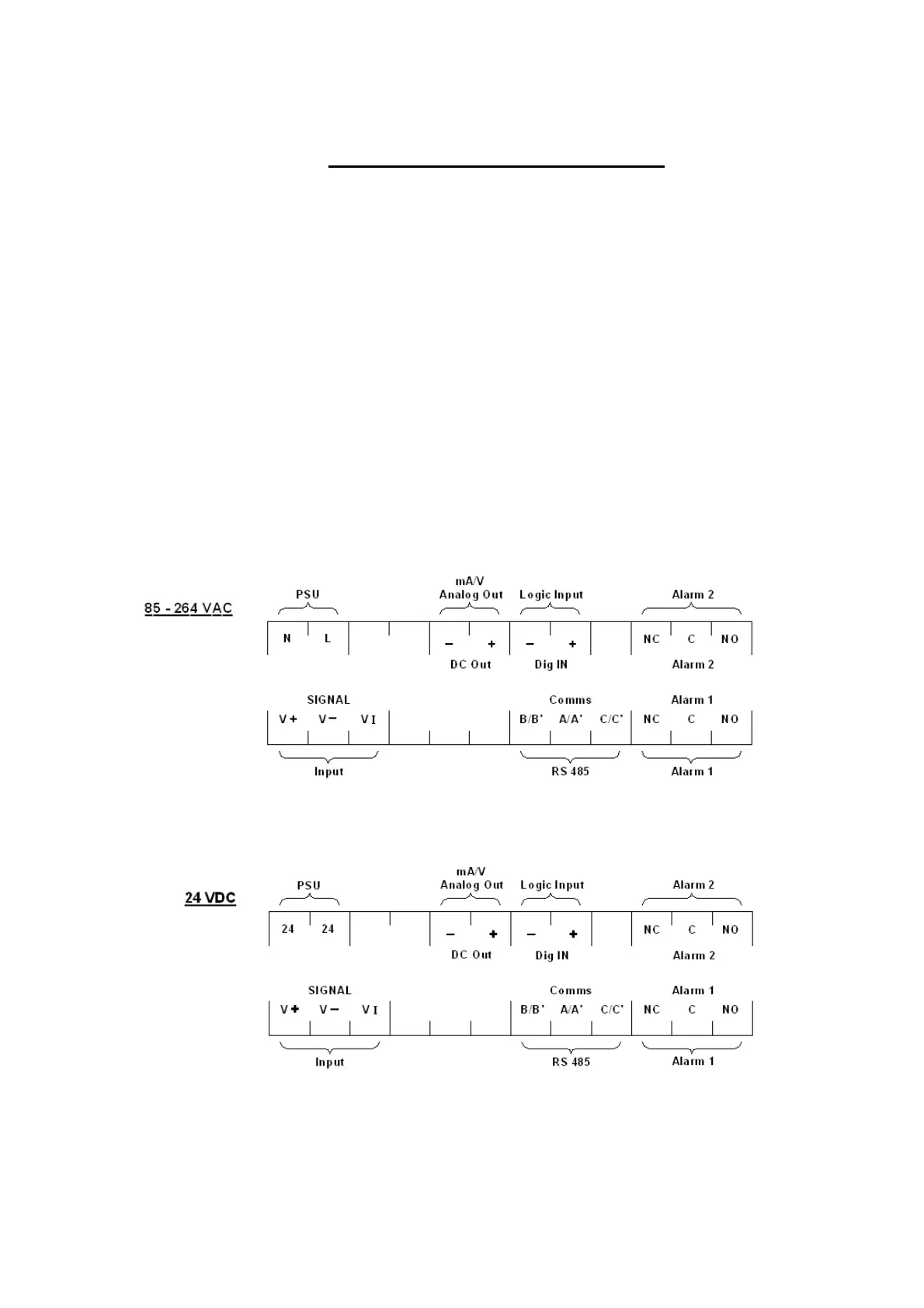
• Connect wires from cable to terminals as indicated below.
• Connect AC or AC/DC power as indicated in diagram. Note power type is dependant on
model number, where:
Universal Power Supply (85 - 264 Vac) 24 V (dc or ac)
1392-X-3 1392-X-1
• If applicable, connect alarm(s). Note that alarm defaults are High, Reverse Acting.
Rear terminal locations as shown.


 To Next Page