PFD Operation
SkyView Pilot’s User Guide - Revision M 4-17
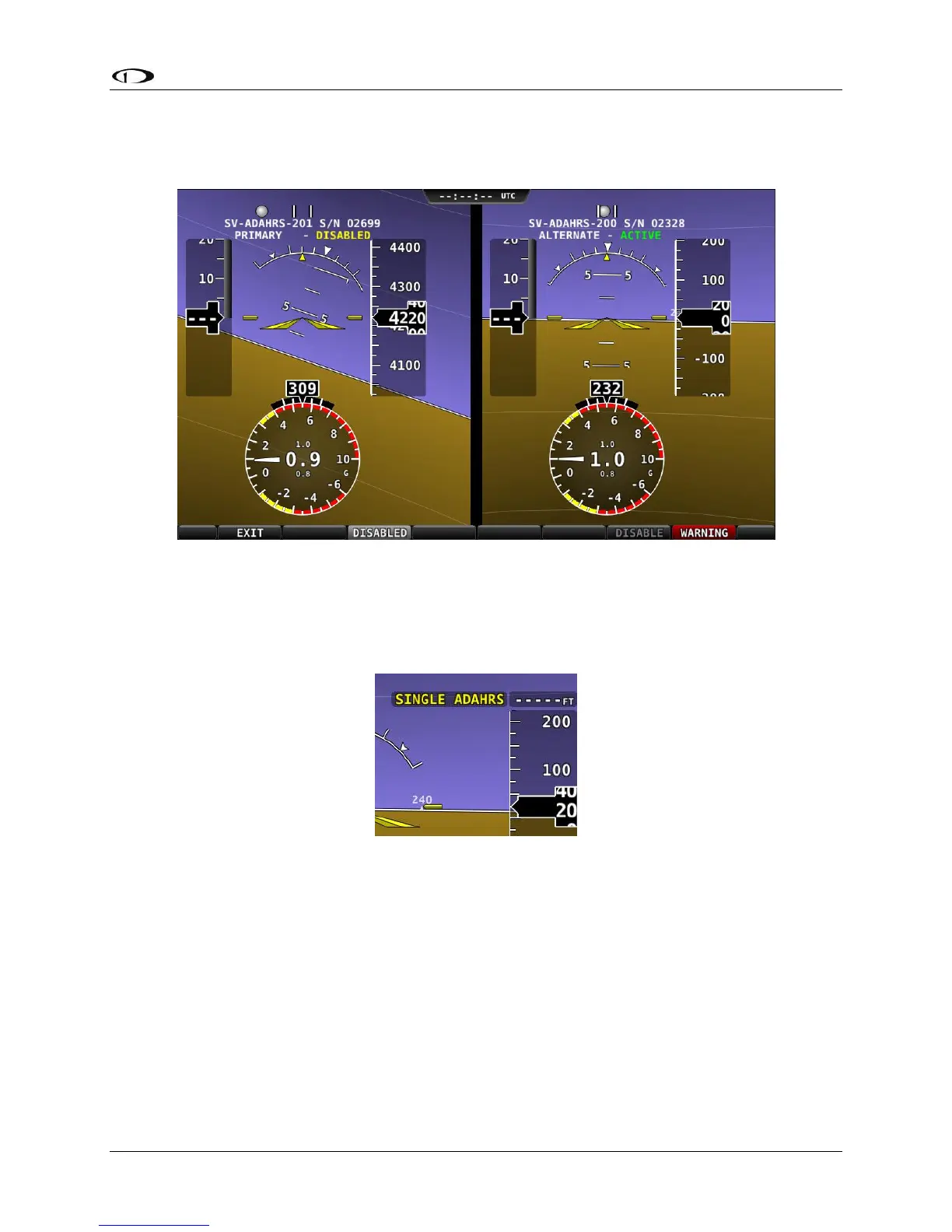
Once you have determined which ADAHRS is incorrect, press DISABLE to tell SkyView not to use
it for the duration of the flight:
Figure 34 - ADAHRS Cross-Check Comparison (one ADAHRS disabled)
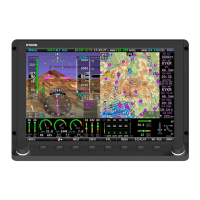
Press exit to return to normal operation. The PFD will annunciate that only a single ADAHRS is
available for use:
Figure 35 - Single ADAHRS Mode Flag
If, after you’ve entered the ADAHRS comparison screen, you do not disable an ADAHRS, a red
warning and ADAHRS CROSS CHK ERROR alert will persist in the Message Alert Area (above
button 8). To go back to the ADAHRS comparison screen to disable an ADAHRS, see the below
instructions:
ADAHRS Source Selection and Configuration
Enter the ADAHRS Source Selection Page: IN FLIGHT SETUP MENU (press/hold buttons 7/8)>
ADAHRS SOURCE SELECTION…).


 To Next Page