User manual
Quick start
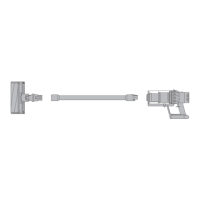
Assembling your machine
clik
clik clik
SV15
Boost
Eco
Auto Med
100%
5%
English
Ελληνικ
Espanol
Čeština
中文
한국어
English EnglishEnglish
Eco
Eco
Auto Med
100%
5%
English
Ελληνικ
Espanol
Čeština
中文
한국어
English EnglishEnglish
Eco
Auto
Med
100%
5%
English
Ελληνικ
Espanol
Čeština
中文
한국어
English EnglishEnglish
Eco
Med
100%
5%
English
Ελληνικ
Espanol
Čeština
中文
한국어
English EnglishEnglish
Eco
English
Espanol
English English
selected
4:50 Auto
Low
run time
Exit
Off
On
Boost
Eco
Auto Med
100%
English
Espanol
English
English
selected
4:50 Auto
Low
run time
Exit
Off
On
Manual del usuario
Ensamblado de la máquina
Inicio rápido
Setting up your
language
Before using your machine, you
will need to set up your preferred
language option.
You can continue to use your
machine without setting up the
language but you will be prompted
each time you release the trigger.
To set up your language, tap the
selection button to activate the
screen.
Tap the Selection button to scroll
through the language list to your
preferred language. Press and hold
the button until the countdown ends.
A green tick will appear on the screen
to show your language selection is
complete.
To cancel your selection, release the
button during the countdown.
You can access a full list of available
languages by selecting 'More+' from
the language list.
Configurar
el idioma
Antes de usar la máquina, deberá
configurar su opción de idioma
preferido.
Puede continuar usando su máquina
sin configurar el idioma, pero se
le indicará cada vez que suelte el
gatillo.
Para configurar su idioma, toque el
botón de selección para activar la
pantalla.
Toque el botón de selección para
desplazarse por la lista de idiomas
hasta su idioma preferido. Mantenga
presionado el botón hasta que
finalice la cuenta regresiva.
Aparecerá una marca verde en
la pantalla para mostrar que su
selección de idioma está completa.
Para cancelar su selección, libere el
botón durante la cuenta regresiva.
Puede acceder a una lista
completa de idiomas disponibles
seleccionando "Más +" en la lista de
idiomas.
Fully charge before
first use
It is important to fully charge your
machine before using for the first
time and after every use.
Cargar completamente
antes de usar
Es importante cargar completamente
la máquina antes de usarla por
primera vez y después de cada uso.
Intensive cleaning for ground-in dirt.
Limpieza intensiva para la suciedad
más rebelde.
The optimum balance to clean
all floors.
Attach your High torque cleaner
head to activate Auto mode,
which automatically adapts power
between carpets and hard floors.
Maximum run time,
for longer cleans.
Tiempo máximo de funcionamiento
para limpiezas más prolongadas.
Power modes
Your machine has three power
modes for different tasks. Change
cleaning modes quickly using a
single button.
Modos de potencia
Su aparato tiene tres modos de
encendido para diferentes tareas.
Cambie el modo de limpieza
rápidamente usando un solo botón.
El equilibrio óptimo para
limpiar todos los pisos.
Coloque el cabezal limpiador
con par alto para activar el
modo automático, que adapta
automáticamente la energía entre
alfombras y pisos duros.
Escanee con la cámara
del teléfono o el lector
QR para:
Active su garantía
2 años de piezas y mano
de obra gratis
Mire guías de video útiles
Comience rápidamente
Acceda al soporte
de expertos de Dyson
o visite www.dyson.com/MyV11
Requires Apple IOS 11 or
later, or Android OS 5.0.
Requiere Apple IOS 11 o
posterior, o Android OS 5.0.
Scan with your
phone camera
or QR reader to:
Activate your warranty
2-year free parts and labour
Watch helpful video guides
Get started quickly
Access support
From experts at Dyson
or visit www.dyson.com/MyV11
100%
5%
English
Ελληνικ
Espanol
Čeština
中文
한국어
English EnglishEnglish
Eco

 Need help?
 General
 Weight and Dimensions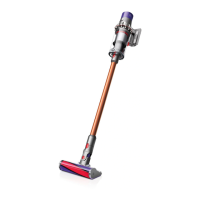

 To Next Page
