4.1.2 This product is a high-tech electronic device,
installation should be undertaken by a professional.
4.1.3 Please follow the following procedures to install your
tracker, during installation, there should be no power to the
device.
4.1.4 Installing sim card:
The device is need to insert a sim card which support 4G or
GSM 2G network. The sim card should be enabled for GPRS.
1) Testing sim card: to test sim card, please install it into
a normal 4G or GSM 2G network mobile phone and
ensure it can send and receive SMS, and GPRS enabled.
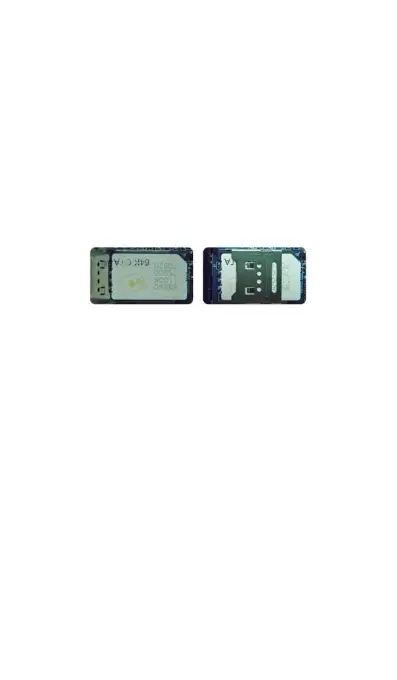
2) Installing sim card: please remove the upper cover of
device, insert sim card as shown then
replace cover, lock the shell with 4 bolts.
Figure 4
sim card picture
4.2 Installation
The GPS tracker must be installed under professional
personnel.
Note:
1) Please install the device in the hidden place as
followings:
Under Front windshield;
In the front instrument panel;
Under back windshield;
2) Avoid being placed with signal radiators like reverse
sensor;
3) The device has antennas inside. Please ensure the
receiving side of the device is face up and without
metal cover.
Note: The metal cover will lessen the receiving of GPS
signals.
4.3 Installation place



 To Next Page