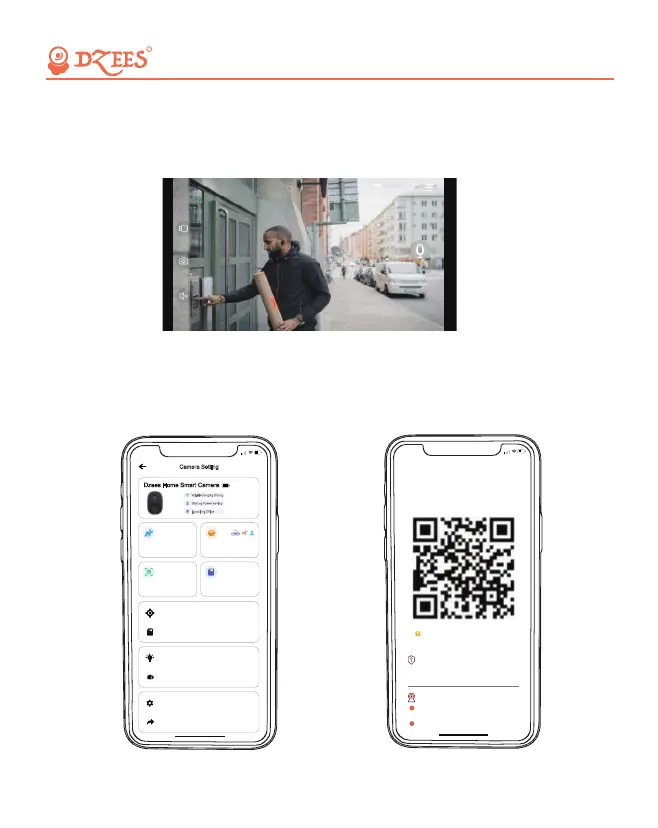
14. Two-Way Audio
15. Share Camera
Step 1: Activate the audio option.
Step 2: Press and hold the intercom button to speak.
A is the person who shares the camera; B is the person who is shared
(Register own account).
1. A enter the 'Device info' page and open the QR code.
All about Your Smart Security
R
14:59
<
Please use Dzees Home APP to
scan the QR code below to add
a camera
QR code will expire at
Check the Live stream, playback
video clips.
The invitee needs to download and
install Dzees Home.
Permission
How to add shared cameras?
Camera sharing
1
Go to the APP homepage and click on
the“+”sign inthe unner right corner,
2
Live
2020/07/21 15:14:54
<
41KB/s SD
5:50
Dzees Home Smart Camera
High sensitivity
Firmware Info
Motion Detection Notification Setting
Camera Setting
Wi-Fi strength: Strong
>
Status: Power saving
Location: Office
activity zone 0
Motion Detection
SD Card Video
SD Card 0.0GB/32GB
>
>
Lighting Setting
Sound Setting
>
>
Advanced Setting
Share
>
>
18


 To Next Page