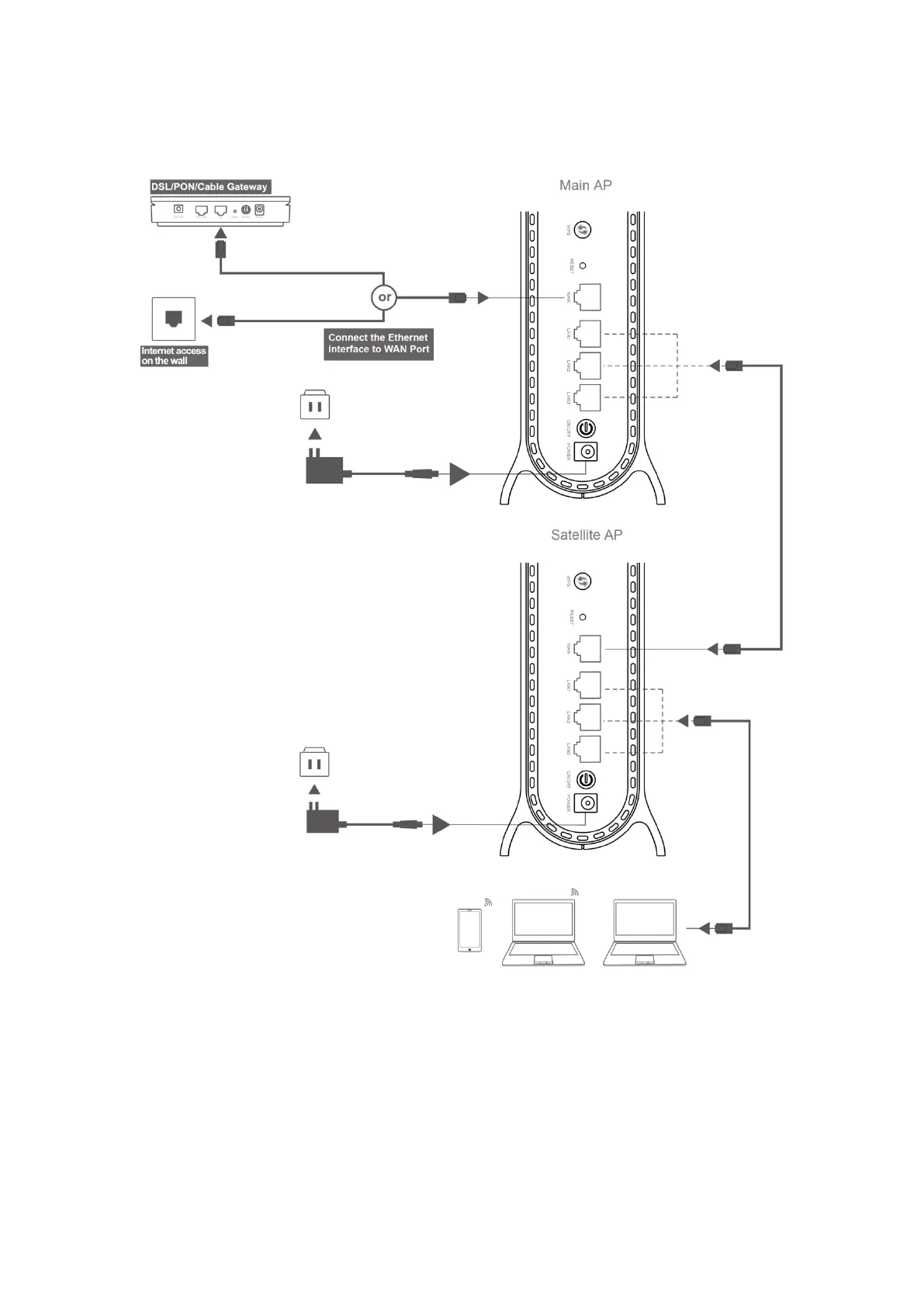
Option 2: Wired Networking
01 Main AP refers to SINGLE ROUTER SETUP STEPS to complete the connection.
02 Place the Satellite AP at a proper location based on the cable deployment in your
home.
03 Connect the Satellite AP to LAN port of your Main AP via network cable.
04 Power on the Satellite AP. When the LED is Steady Green, then the Mesh networking is
successful.


 To Next Page