Need help?
Do you have a question about the DZS 1664WC and is the answer not in the manual?
Details the 1664WC model functioning as a standalone AP without Mesh.
Explains the 1664WC-DUO, comprising two APs for mesh network setup.
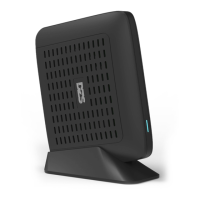
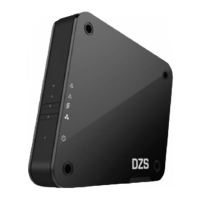
Illustrates the router's physical appearance, including port labels.
Details the function of each button on the router, such as WPS and Reset.
Outlines the various LED behaviors and their corresponding network scenarios.
Visual guide for connecting the router to a gateway and devices via WAN/LAN ports.
Instructions for establishing a mesh network connection wirelessly between APs.
Instructions for setting up a mesh network using Ethernet cables between APs.
Guides on accessing router settings via a web browser using an IP address.
Information on downloading and using the mobile app for router management.
Troubleshooting steps for when the internet connection is not working.
Procedure for resetting the router to its original factory default settings.
How to access the Satellite AP's web interface if mesh pairing fails.
Guidance on adding more APs to an existing mesh router set.
The DZS 1664WC is a WiFi-6 Wireless Router designed for both single router and mesh network configurations, offering robust connectivity and easy management.
The 1664WC operates as a standalone Access Point (AP) without mesh functionality by default. For users with the 1664WC-DUO model, it functions as a mesh router set, comprising a Main AP and a Satellite AP. The Main AP connects directly to the internet gateway, while the Satellite AP extends the wireless coverage. The device supports both wired and wireless connections for internet access.
 General
| Brand | DZS |
|---|---|
| Model | 1664WC |
| Category | Wireless Router |
| Language | English |

 To Next Page