03 SINGLE ROUTER SETUP STEPS
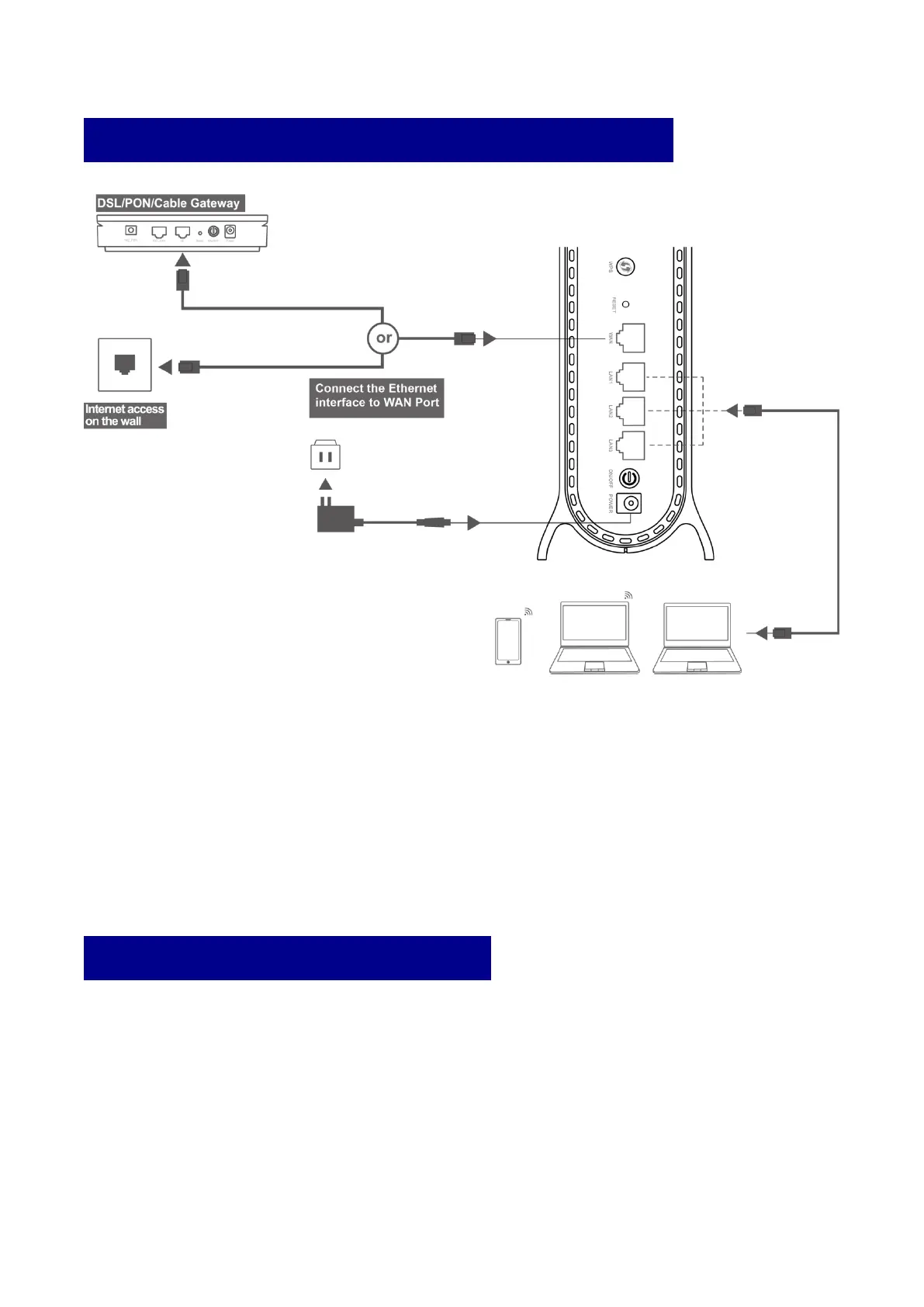
The DZS Router can be connected according to the diagram above.
01 Note the DSL/PON/Cable Gateway must be connected to the WAN port of DZS Router.
When it is connected to the Internet ,the LED light is steady green. If you can, place the DZS
Router in an open area such as a table or a shelf.
02 Wired devices can be connected directly to LAN port for Internet access. Wireless
devices can use the network name (SSID) & password (see the sticker on the backside of
Azores Router) to connect to Internet.
04 MESH SETUP STEPS
Choose one of the following methods to setup your Mesh Set(1664WC-DUO).


 To Next Page