5. Lordinterface
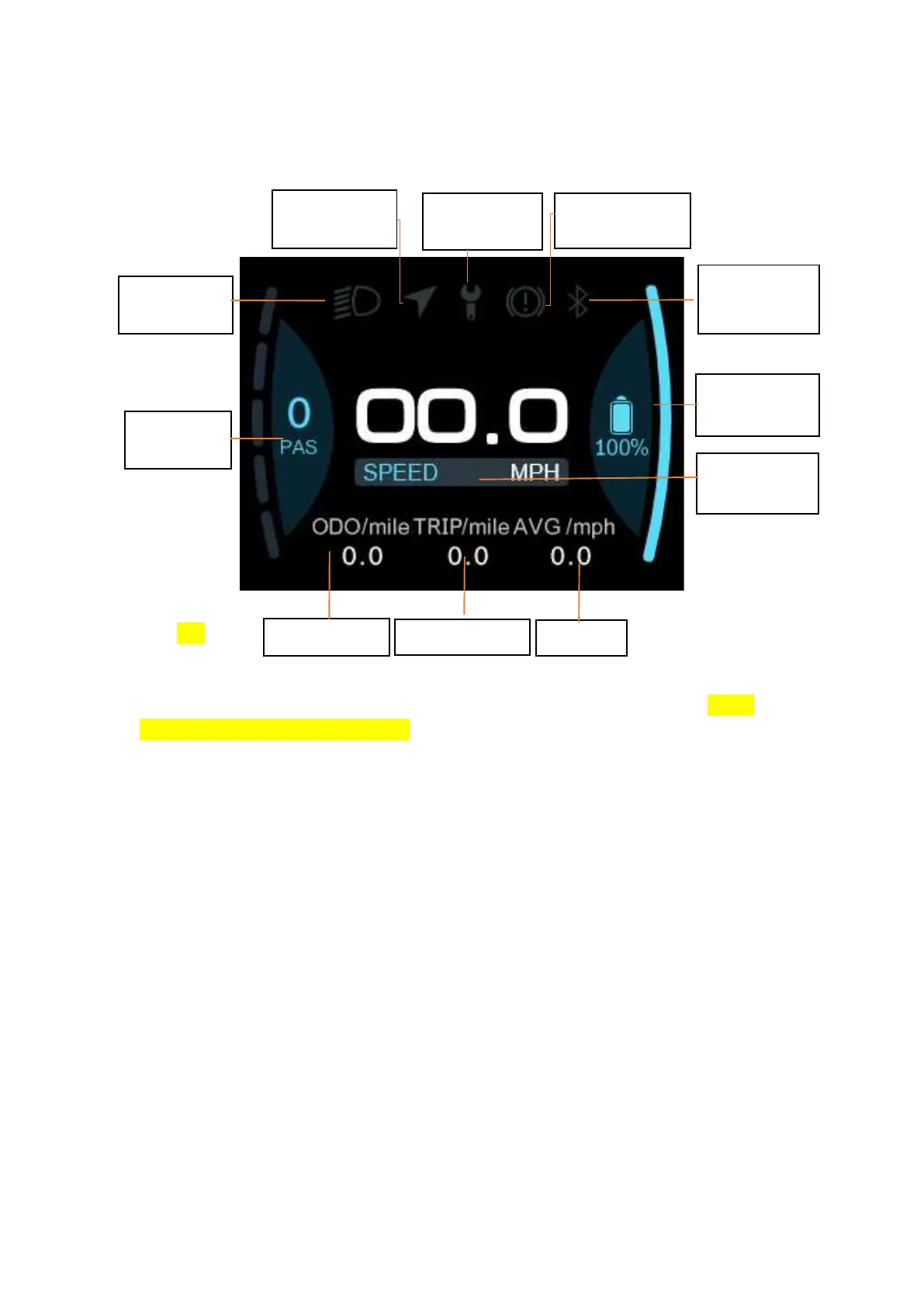
① Headlight indicator: The headlight indicator graphic will
light up when the headlight is on.
② Navigation indicator: If the BIKEGO app is connected to the
instrument, the symbol will light up when navigation begins. (Live
navigation requires payment).
③ Maintenance tip: Electronic systems have some ability to self-
diagnose and report limited faults. The failure is reported as an
error code displayed on the screen.
④ Brake indicator: This icon lights up when the vehicle performs
a brake operation.
⑤ Bluetooth indicator: After the APP is successfully connected
to the instrument, the symbol will light up.
⑥ Battery Level graphic: The Battery Level graph is a graphical
representation of the remaining charge in the battery. After the
battery is charged, more bars will appear in the graph. When the
battery runs out, fewer bars appear.
⑦ Real-time speed: Displays the current speed at which the e-
bike is traveling.
⑧ Gear indicator: Displays the current assist gear of the
electric bike.
⑨ Single mileage: The number of miles in a single trip.
⑩ Total Mileage: The total number of miles traveled by the
vehicle.
5/20
Headlight
indicator
Maintenance
tips
Real-time
speed
Total
Battery
level
Gear
indicator
Single
Average
Bluetooth
indicator
Brake
indicator
Navigation
indicator


 To Next Page